
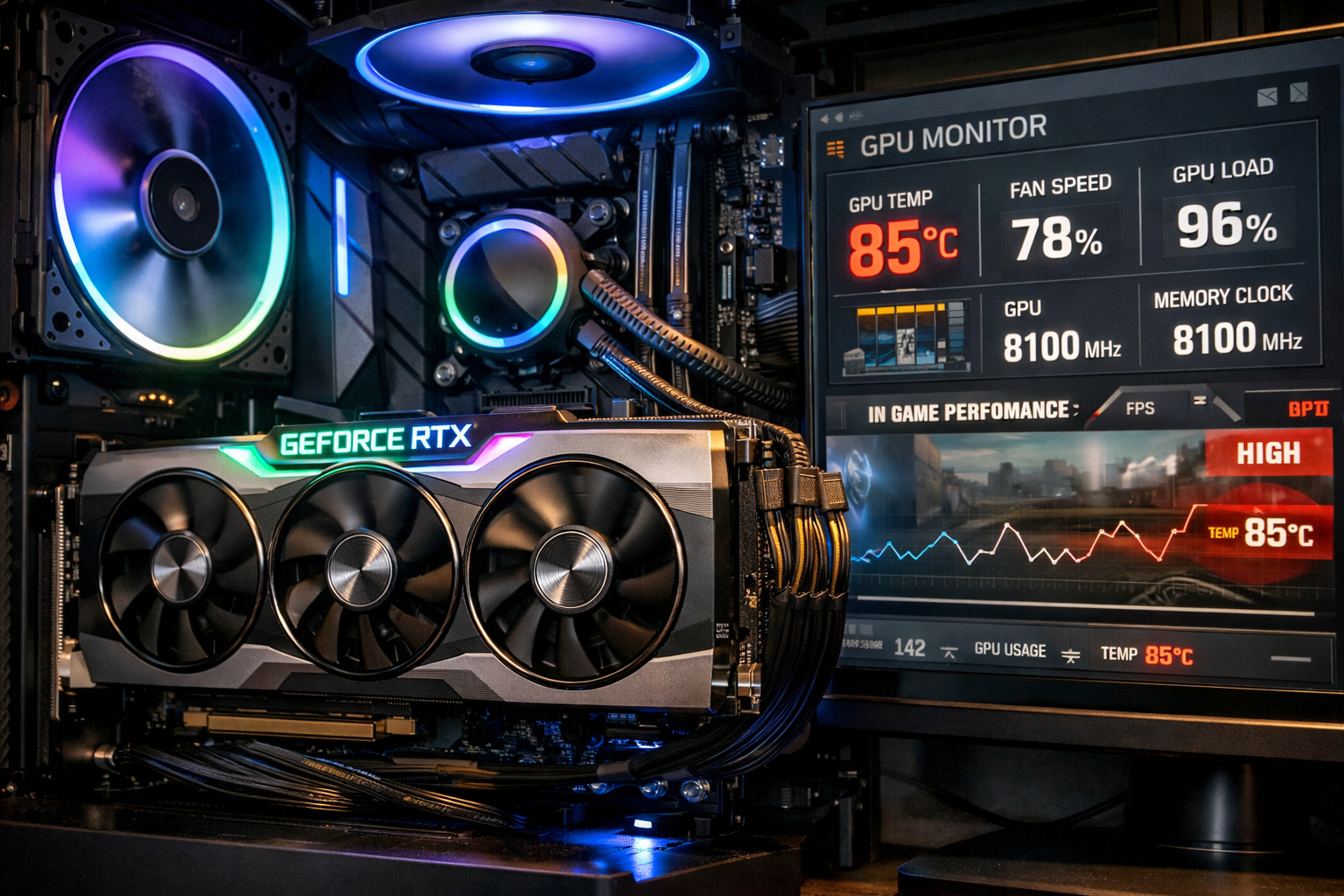
85 Celsius is hot for a GPU, but it is still within the safe range during heavy gaming or demanding tasks. Most modern graphics cards are designed to handle up to 90°C. If temperatures stay below 90°C and performance is stable, your GPU is generally safe.
In this detailed guide, you will learn what 85°C really means, what manufacturers design GPUs to tolerate, when you should worry, and how to lower temperatures if needed. This explanation is based on real hardware behavior, thermal limits, and practical experience.
Is 85 Celsius Hot for GPU During Gaming?
Yes, 85°C is hot, but during gaming, it is usually normal.
Modern games push GPUs close to full utilization. High-resolution textures, real-time lighting, ray tracing, shadows, and physics simulations require constant processing. When your GPU runs near 95–100% usage, heat output increases rapidly.
In most desktop systems:
- 70°C to 75°C is ideal
- 75°C to 85°C is common under load
- 85°C is near the upper normal limit
If your GPU only reaches 85°C while gaming and drops back down after closing the game, that is expected behavior. What matters most is stability, not just the number.
If it sits at 85°C while idle, that indicates a cooling or airflow problem.
What Is the Normal GPU Temperature Range?
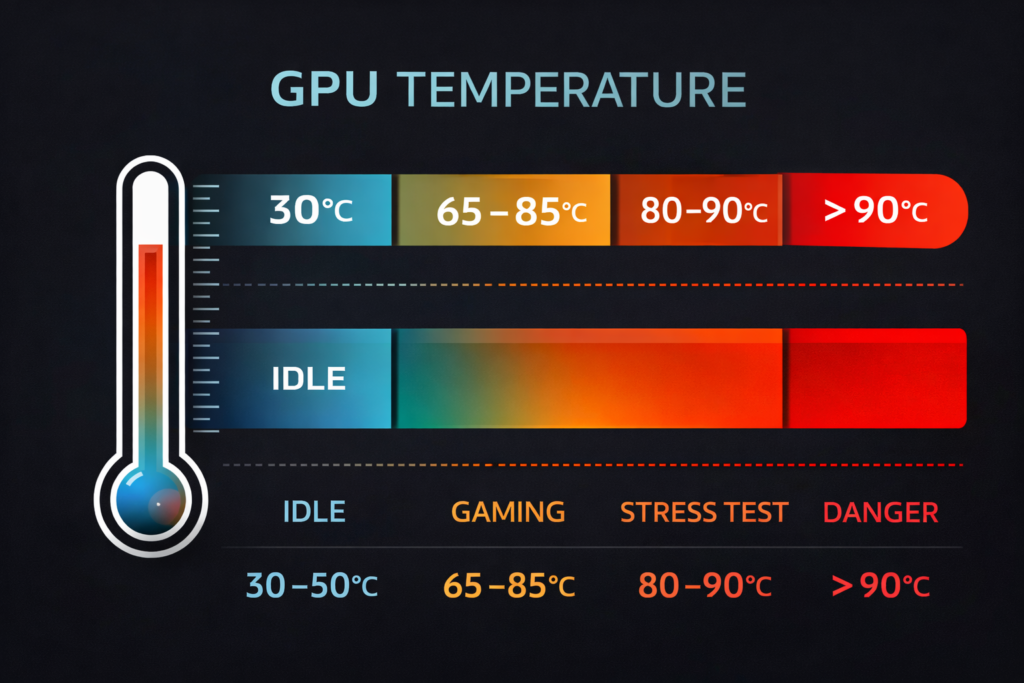
GPU temperature depends on workload, airflow, and ambient room temperature.
Here is a realistic breakdown for most desktop systems:
Idle temperature
30°C to 50°C
Light tasks (browsing, streaming, video playback)
40°C to 60°C
Gaming load
65°C to 85°C
Heavy stress tests or extreme overclocking
80°C to 90°C
Risk zone
Above 90°C
Most GPUs begin thermal management between 90°C and 95°C. This means they reduce boost clocks automatically to protect the silicon.
So 85°C is close to the top of the normal range, but still below the danger threshold.
What Temperature Is Too Hot for a GPU?
Consistently above 90°C is where concern begins.
At this stage:
- Thermal throttling may start
- Clock speeds may drop
- Fan noise increases significantly
- Frame rate becomes inconsistent
- System crashes or shutdowns may occur
Every GPU has a defined thermal limit called a junction or maximum operating temperature. While brief spikes above 90°C are usually safe, sustained operation above this level can reduce long-term component reliability.
If your GPU regularly crosses 90°C, cooling improvements are recommended.
According to NVIDIA’s official guidance, modern GPUs are designed to operate safely near their thermal limits before automatic protection systems activate. You can review their published temperature discussions here.
What Happens Inside the GPU at 85°C?
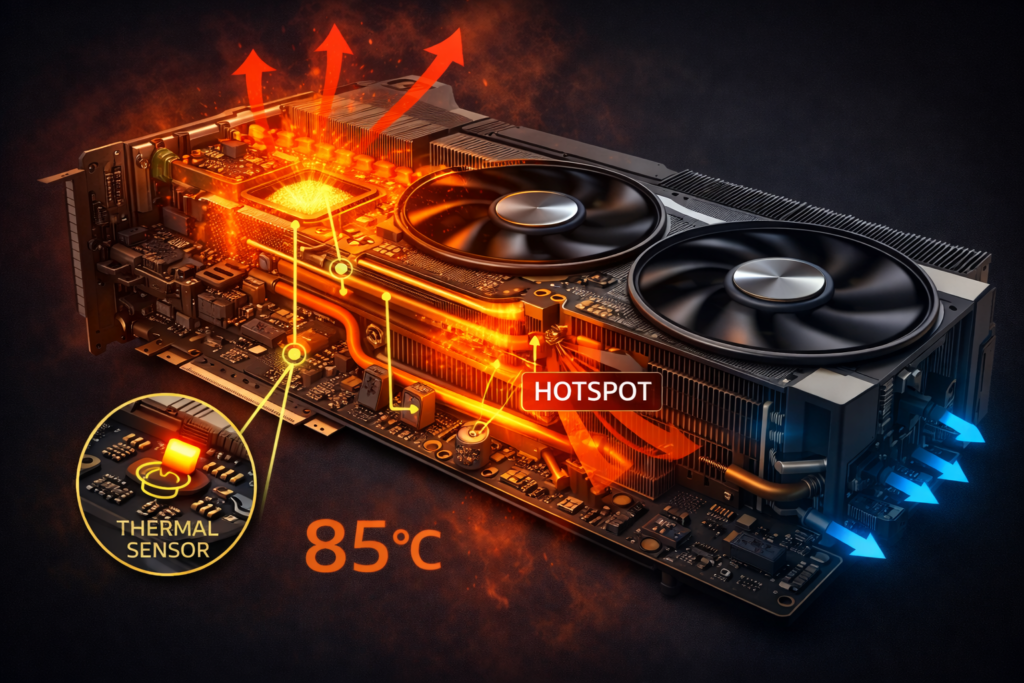
At 85°C, your GPU is under heavy load but still functioning within engineered limits.
Inside the card:
- Billions of transistors switch constantly
- Voltage regulators supply high current
- VRAM modules operate at high frequency
- Cooling fans ramp up to maintain airflow
Modern GPUs contain multiple thermal sensors:
- Core temperature
- Hotspot (junction) temperature
- Memory temperature
Hotspot temperature is usually 10 to 20°C higher than core temperature. So if your core reads 85°C, the hotspot may be closer to 95°C, and that is still often within design limits.
Thermal throttling typically begins closer to 90 to 95°C core temperature.
Can 85°C Damage Your GPU?
Short-term exposure at 85°C will not damage a modern GPU.
Graphics cards are stress-tested at high temperatures during manufacturing. Gaming for hours at 80–85°C is common and expected.
However, prolonged exposure above 90°C for months or years may:
- Degrade thermal paste
- Dry out thermal pads
- Increase fan wear
- Stress solder joints
If your GPU cools down properly after gaming sessions, long-term damage is unlikely.
Temperature stability matters more than occasional peaks.
How Long Can a GPU Safely Run at 85°C?
A GPU can run for many hours at 85°C during gaming without immediate harm.
Many users game daily at 75 to 85°C for years without failure.
Safe operation depends on:
- Stable frame rates
- No random crashes
- No screen artifacts
- No sudden shutdowns
- Temperature drops when the load decreases
If these conditions are met, your cooling system is working properly.
Why Is Your GPU Reaching 85°C?
Several practical reasons can push temperatures to 85°C:
High graphics settings
Ultra presets, 1440p or 4K resolution, and ray tracing increase workload dramatically.
Poor case airflow
If hot air remains trapped inside, the GPU recycles warm air instead of fresh air.
High room temperature
A room temperature of 30 to 35°C naturally increases internal PC temperatures.
Overclocking
Higher clock speeds and voltage increase heat output.
Dust buildup
Dust blocks airflow and reduces heatsink efficiency.
Even one of these factors can add 5 to 10°C to your GPU temperature.
If you use professional software like AutoCAD, GPU load behavior is different. You can learn more in our guide on Is AutoCAD CPU or GPU intensive?
Does Poor Airflow Really Increase GPU Temperature?
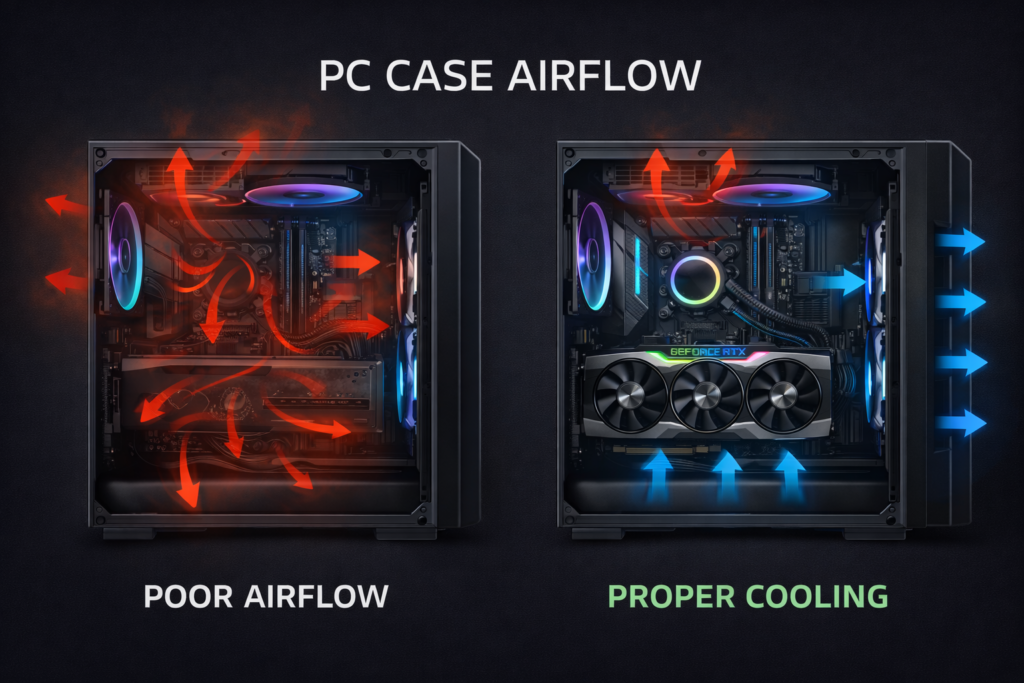
Yes, Airflow is one of the biggest factors in cooling performance.
Without proper airflow:
- Hot air accumulates inside the case
- GPU fans pull in already warm air
- Internal temperature rises steadily
An effective airflow setup includes:
- Two or more front intake fans
- One rear exhaust fan
- Optional top exhaust fans
- Clean dust filters
Improving airflow alone can reduce GPU temperatures by 5–10°C in many systems.
Does Room Temperature Affect GPU Heat?
Absolutely, Cooling systems depend on ambient air. Your GPU cannot cool below room temperature.
If your room is 35°C, your internal components start from a higher baseline. That means:
25°C room: lower GPU temps
35°C room: higher GPU temps
Keeping the room temperature between 20–25°C improves overall cooling efficiency.
Does Overclocking Make 85°C Normal?
Yes, Overclocking increases power draw.
Higher voltage creates more electrical resistance, and resistance produces heat.
An overclocked GPU can run 5 to 15°C hotter than stock settings. So 85°C under heavy load may be expected if you increase clock speeds.
If overclocked, monitor:
- Stability
- Fan noise
- Throttling behavior
Undervolting can often reduce temperature without losing noticeable performance.
If you’re unsure how overclocking affects temperature and performance, see our full explanation of what does overclocking a GPU do.
Is 85°C Safe for NVIDIA and AMD GPUs?
Both NVIDIA and AMD design GPUs to handle high temperatures.
Many modern desktop GPUs operate safely up to around 90°C before reducing performance.
High-end models often run between 70 and 85°C during demanding gaming sessions.
However, always check your specific model’s official specifications. Some compact or blower-style cards may run hotter by design.
How to Lower GPU Temperature from 85°C
If you want to reduce your GPU temperature, focus on practical improvements.
Improve airflow
Add more intake fans and ensure proper exhaust.
Clean dust regularly
Use compressed air every three to six months.
Adjust fan curve
Increase fan speed gradually as temperature rises.
Undervolt your GPU
Lower voltage slightly while maintaining performance. Many users reduce temperatures by 5 to 15°C with stable undervolting.
Replace thermal paste
If your GPU is several years old, replacing dried thermal paste can improve cooling.
Each of these methods targets real heat sources rather than guessing.
When Should You Worry About 85°C?
You should investigate if:
- The temperature frequently exceeds 90°C
- Performance drops suddenly
- Games crash
- Visual artifacts appear
- Fans run at maximum constantly
- Temperature remains high even at idle
If none of these occur, 85°C under load is generally acceptable.
If you suspect hardware-level issues beyond overheating, read our guide on how to check motherboard damage from the GPU.
What Is the Ideal GPU Temperature While Gaming?
The ideal range is 65°C to 75°C.
This range balances performance and longevity. However, not all systems can maintain this level, especially in warmer climates or compact cases.
Running at 80 to 85°C occasionally does not mean your GPU is failing.
Is 85°C More Dangerous in Laptops?
Yes, laptops have limited airflow compared to desktops.
Gaming laptops often reach 85°C to 90°C under load. This is common due to compact cooling systems. Regular cleaning and proper ventilation are important for laptops.
FAQ’s:
Is 85 Celsius hot for the GPU while gaming?
Yes, it is hot, but still within the safe operating range for most modern GPUs under heavy gaming load.
Is 85°C dangerous for a graphics card?
No, it is generally safe if temperatures stay below 90°C and performance remains stable.
Is 90°C too hot for a GPU?
Yes, 90°C is close to the thermal limit, and you should improve cooling if it reaches this level often
What is the ideal GPU temperature for long gaming sessions?
The ideal range is 65°C to 75°C, which balances strong performance and long-term hardware health.
Why does my GPU stay around 85°C constantly?
High graphics settings, poor airflow, warm room temperature, or overclocking can keep your GPU near 85°C under load.
Conclusion:
85 Celsius is hot, but it is still within the safe operating range for most modern GPUs during gaming. It sits near the upper normal limit but below the danger zone.
If your system shows stable performance and temperatures remain below 90°C, your GPU is functioning as designed. Focus on airflow, dust control, and proper cooling to maintain long-term reliability.
Understanding real temperature limits helps you avoid unnecessary panic and make informed decisions about your hardware.