
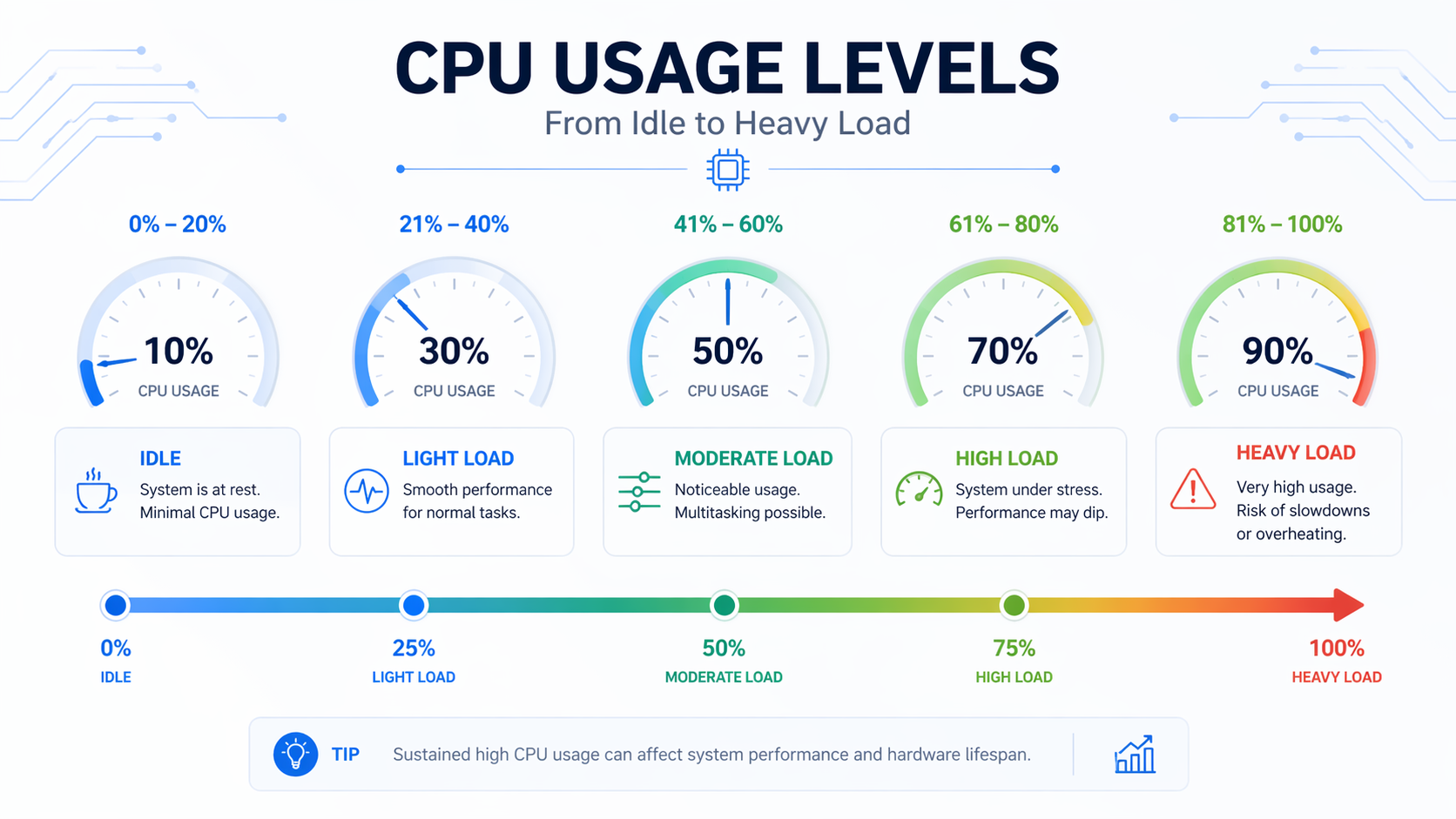
Most computers do not run at a fixed CPU level. Usage keeps changing every second based on what you are doing. In general, normal CPU usage depends on tasks, but knowing safe limits helps you avoid slowdowns and system issues.
In this guide, you will learn what constitutes normal CPU usage, when it becomes a problem, and how to fix high CPU usage before it affects your system’s speed and stability.
Unlike GPU usage, CPU usage directly affects system responsiveness, multitasking, and background processes.
What Is CPU Usage?
What does CPU usage percentage mean?
CPU usage is normal, which shows how much of your processor is being used at a given moment.
If it shows 50%, half of your CPU power is active.
- 0 to 10% Very light use
- 50% Moderate workload
- 100% Fully busy
How is CPU usage measured?
CPU usage is measured by the operating system using internal counters that track active processes.
Tools like Task Manager or Activity Monitor show real-time usage so you can see which apps are consuming resources.
Why does CPU usage fluctuate constantly?
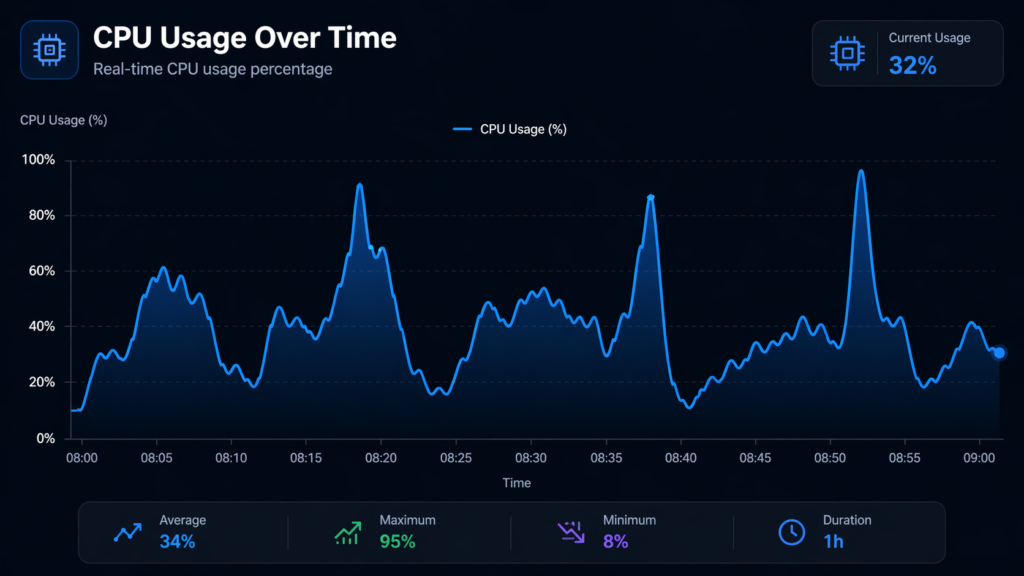
CPU usage fluctuates because apps start and stop tasks quickly in the background.
Even when idle, small processes like updates or system checks can briefly increase usage. This is normal behavior and not a problem.
How Much CPU Usage Is Normal?
CPU is not everything; your GPU usage also plays a major role in performance: How Much GPU Usage Is Normal?
What is normal CPU usage when idle?
When your system is idle, CPU usage should stay low.
- 1 to 5% Ideal
- 5 to 10% Still normal
- Above 10% Check background apps
If it stays high with nothing open, something is running in the background.
What is normal CPU usage during regular tasks?
For daily tasks like browsing or watching videos, CPU usage is moderate.
| Task Type | Normal CPU Usage |
| Web browsing | 5% to 30% |
| Streaming | 10% to 40% |
| Office work | 5% to 25% |
Short spikes are normal, especially when loading pages or switching tabs.
What is normal CPU usage during gaming or heavy work?
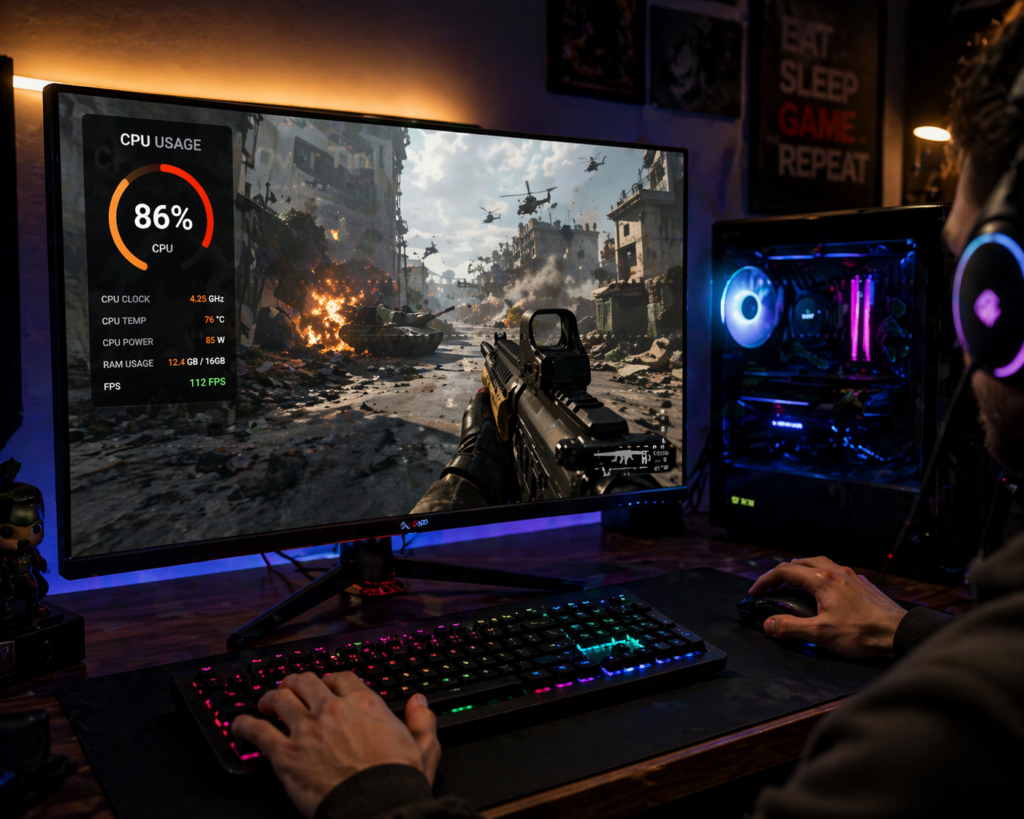
Heavy tasks push the CPU harder.
- Gaming 40% to 80%
- Video editing 60% to 100%
- Rendering Near 100%
High usage here is expected, as long as it drops after the task ends.
Not sure whether your CPU or GPU is the bottleneck in games? Will this breakdown surprise you: Is Minecraft CPU or GPU-intensive?
What CPU Usage Is Considered Too High?
When does CPU usage become a problem?
CPU usage becomes a problem when it stays high without reason.
If your system feels slow, freezes, or overheats, that is a clear sign that something is wrong, not just high usage alone.
How long can high CPU usage last safely?
Short bursts are fine, but constant high usage is not.
- A few seconds Normal
- A few minutes Acceptable under load
- Hours need attention
Long-term strain can affect performance over time.
What happens if CPU usage stays at 100%?
If CPU usage stays at 100%, your system becomes unresponsive.
Apps may freeze, fans spin loudly, and tasks slow down. In extreme cases, the system may shut down to protect hardware.
Why Is Your CPU Usage So High?
Background apps and processes:
Many apps run quietly in the background and use CPU power.
Too many active processes can stack up and push usage higher than expected.
Malware or unwanted programs:
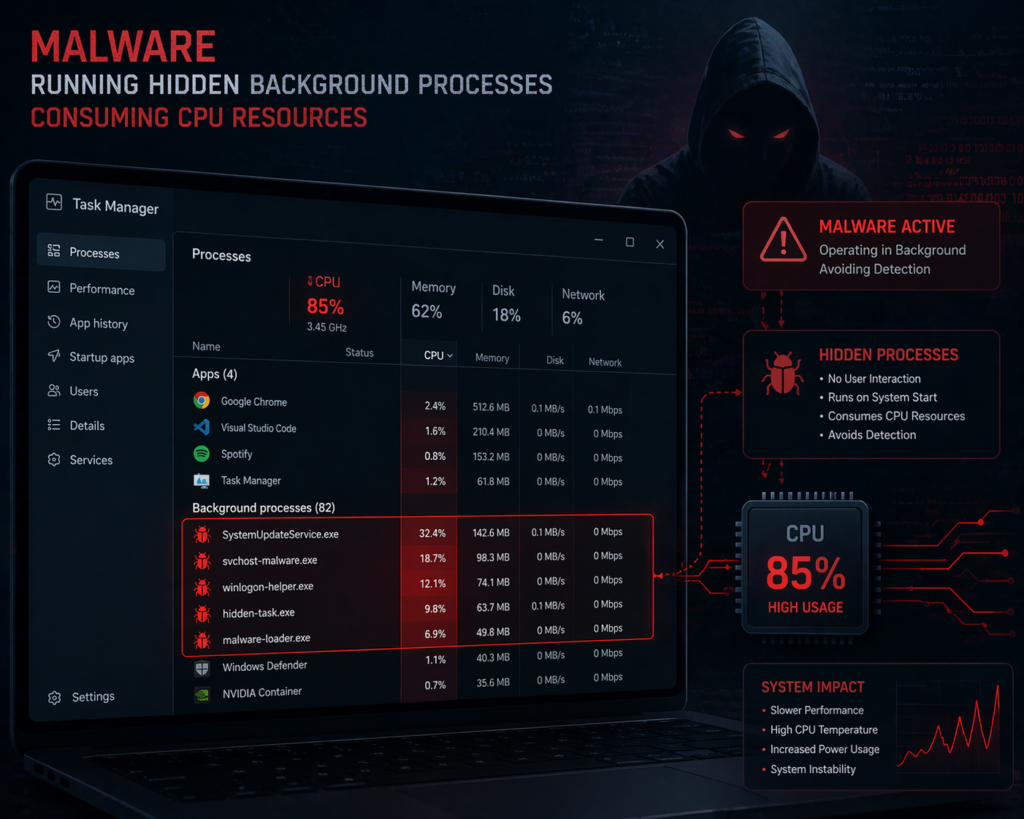
Malware often runs hidden tasks that consume CPU constantly.
If usage is high even when idle, it is worth scanning your system for threats.
Outdated software or drivers:
Old software can cause inefficient CPU usage.
Updates often fix bugs and improve how programs use system resources.
Too many startup programs:
Programs that start automatically can slow down your system from the beginning.
Reducing startup apps often leads to immediate improvement.
Hardware limitations:
Older CPUs struggle with modern apps.
If your system is outdated, even basic tasks may push CPU usage higher than normal.
How to Check CPU Usage on Your Device?
How to check CPU usage on Windows?
Use Task Manager:
- Press Ctrl + Shift + Esc
- Open Processes tab
- Check the CPU column
It shows which apps are using the most resources.
If you are unsure how Task Manager works, you can follow Microsoft’s official guide for a clearer walkthrough:
How to check CPU usage on macOS?
Use Activity Monitor:
- Open Spotlight
- Search Activity Monitor
- Check the CPU tab
It gives a clear breakdown of usage per app.
Best tools to monitor CPU performance:
Besides built-in tools, you can use:
- HWMonitor
- MSI Afterburner
These tools give deeper insights, like temperature and load trends.
How to Reduce High CPU Usage?
Close unnecessary background apps:
Start by closing apps you are not using.
Even idle apps can consume CPU in the background, especially browsers with many tabs.
Disable startup programs:
Reducing startup apps can instantly lower CPU load.
- Disable unnecessary apps
- Keep only essential services
Update software and drivers:
Updates improve performance and fix hidden bugs.
Keeping your system updated helps reduce unnecessary CPU strain.
Scan for malware:
Run a full system scan using trusted antivirus software.
Malware often hides behind normal processes and uses the CPU silently.
Upgrade hardware if needed:
If your CPU is old, upgrades may be necessary.
Modern software demands more power, and older systems can struggle to keep up.
CPU Usage vs CPU Temperature: What is the Difference?
Want to check if your CPU is overheating in real time? Here’s a simple step-by-step guide: How to Monitor CPU Temperature?
Why does high usage not always mean overheating?
High CPU usage means the processor is working hard, but it does not always mean it is overheating.
Cooling systems can handle heavy loads if the airflow is good.
Safe CPU temperature ranges:
| Usage Level | Safe Temperature |
| Idle | 30°C to 50°C |
| Normal use | 50°C to 70°C |
| Heavy load | 70°C to 85°C |
Above this range, cooling improvements may be needed.
Does High CPU Usage Damage Your Computer?
Short-term vs long-term impact
Short bursts of high CPU usage are normal and safe.
But constant high usage over time can reduce performance and increase wear on components.
When you should be concerned
You should be concerned if high usage comes with:
- Frequent freezing
- Loud fan noise
- Sudden shutdowns
These signs indicate deeper system issues.
Tips to Maintain Healthy CPU Performance:
Regular system maintenance:
Keep your system clean by removing unused apps and files.
This reduces unnecessary load on the CPU.
Keeping your system clean and optimized:
Dust buildup affects cooling.
Better airflow helps your CPU run efficiently even under load.
Managing multitasking efficiently:
Avoid running too many heavy apps at once.
Smart multitasking keeps CPU usage balanced and stable.
FAQ’s:
Is 100% CPU usage normal?
Yes, during heavy tasks like gaming or rendering. But it should not stay at 100% when idle.
Is 50% CPU usage good or bad?
It is normal for moderate tasks. It means your system is working but not overloaded.
Why is CPU usage high when nothing is running?
Background apps, updates, or malware can cause this.
Checking Task Manager usually reveals the cause.
How do I lower CPU usage quickly?
Close unused apps
Restart your system
Disable startup programs
What is a good CPU usage percentage for gaming?
Around 40% to 80% is normal, depending on the game and hardware.
Does high CPU usage slow down a computer?
Yes, if it stays high for too long. It can cause lag and reduce performance.
Conclusion:
How Much CPU Usage Is Normal? It depends on what you are doing. Low usage is expected at idle, while high usage is normal during heavy tasks. The key is balance. If your CPU stays high without reason, it is time to investigate and fix the issue.