
The NBody GPU benchmark is a performance test that measures how fast your graphics card calculates gravitational interactions between thousands of particles. It evaluates raw compute power, parallel processing ability, and floating point performance rather than gaming graphics performance.
This guide explains what NBody really tests, how it works, what affects your score, and how to choose the right GPU for simulation workloads in 2026.
What Is NBody Calculation?
NBody calculation simulates how objects move under gravity.
Every object attracts every other object.
If you simulate 10,000 particles, each particle interacts with 9,999 others. That means nearly 100 million force calculations per simulation step.
This method is used in:
- Galaxy formation simulations
- Dark matter research
- Molecular dynamics
- Particle collision modeling
- Fluid and plasma simulations
Unlike gaming, this workload is pure math.
Why Is NBody Used as a GPU Benchmark?
NBody stresses the compute core of the GPU, not the texture or ray-tracing units.
It evaluates:
- Floating-point performance (FP32 / FP64
- Parallel processing ability
- Memory bandwidth
- Architecture efficiency
- Driver optimization
A GPU with a strong compute architecture scores high even if it is not the best gaming card.
This makes NBody ideal for developers, researchers, and CUDA programmers.
How does the NBody Benchmark Work?
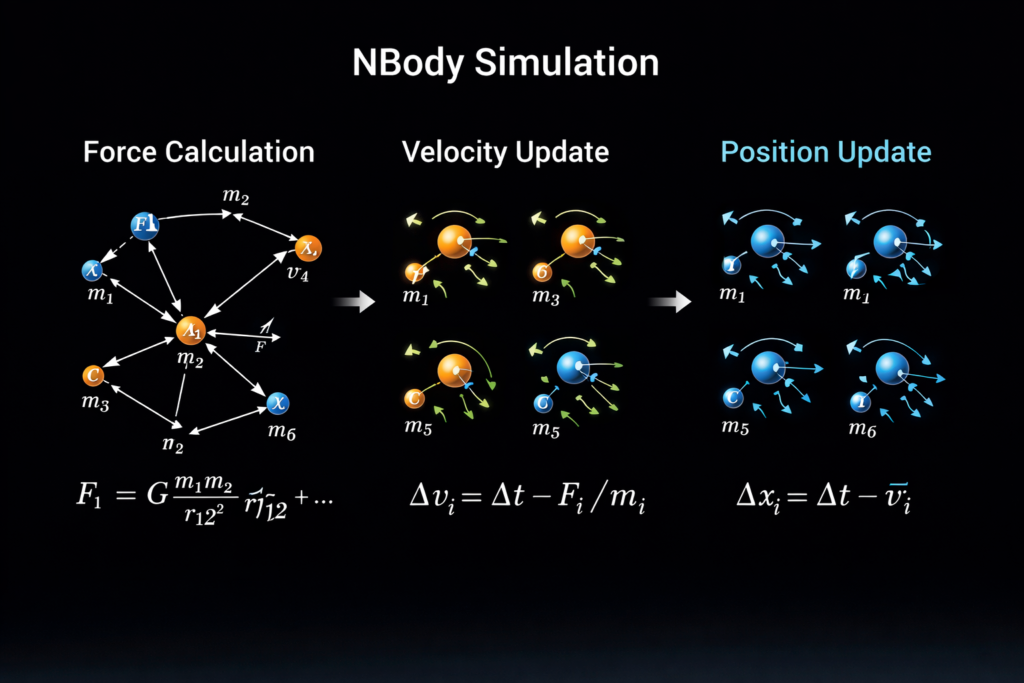
The benchmark runs a gravitational simulation loop:
- Assign mass and position to particles
- Calculate the gravitational force between all particles
- Update velocity
- Update position
- Repeat thousands of times
Your score reflects how many particle updates per second your GPU completes.
Higher updates per second = stronger compute power.
Understanding the NBody Formula:
The force between two particles follows Newton’s gravitational law:
F = G × m1 × m2 ÷ r²
Where:
- m1 and m2 are masses
- R is the distance
- G is the gravitational constant
Your GPU evaluates this formula for every pair of particles.
If N = 10,000
Interactions per step ≈ : 100 million
That is why the workload grows extremely fast.
Why NBody Is O(N²)
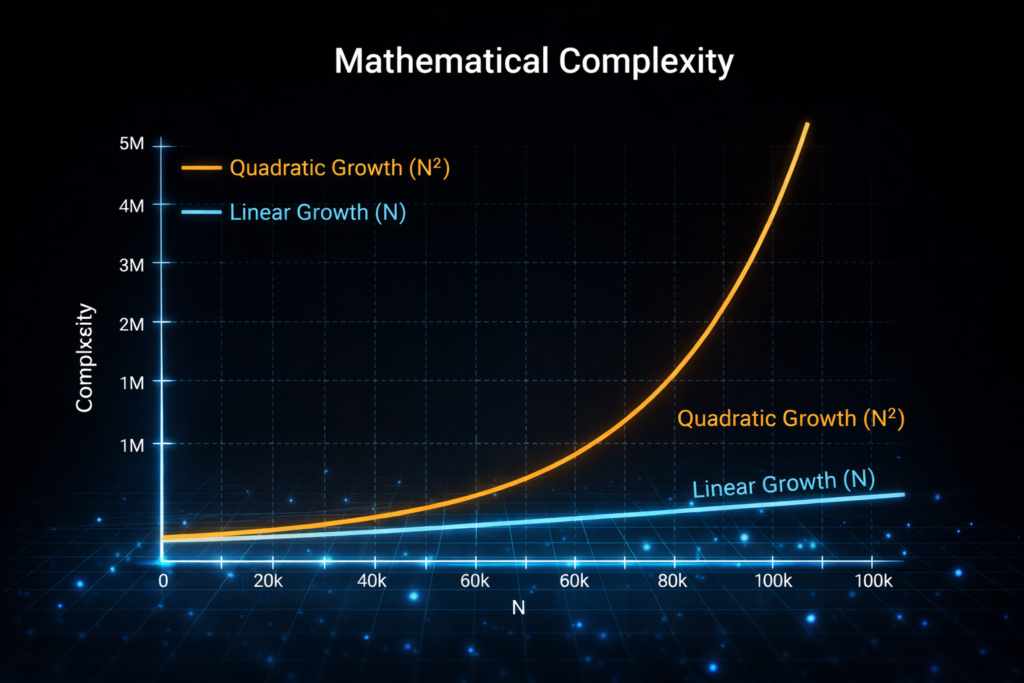
Each particle interacts with every other particle.
If you have N particles:
Interactions = N × (N − 1)
This is called O(N²) complexity.
If particle count doubles, workload increases four times.
That is why GPU acceleration is critical.
Barnes-Hut Algorithm (Performance Optimization)
To reduce workload, many simulations use the Barnes-Hut algorithm.
Instead of calculating every pair individually, it:
- Groups distant particles together
- Approximates them as one mass
- Reduces complexity to roughly O(N log N)
This dramatically improves performance for large simulations.
It balances speed and accuracy.
How GPUs Accelerate NBody Simulation?
GPUs are built for parallel math.
Instead of running one calculation at a time (as CPUs do), GPUs run thousands simultaneously.
Each thread handles force calculation for one particle.
This is why GPUs outperform CPUs in NBody workloads.
For a deeper technical explanation of GPU parallel architecture and how CUDA handles thread execution, NVIDIA provides detailed official documentation on its developer portal.
Also Read: Is AutoCAD CPU or GPU intensive
CUDA vs OpenCL for NBody:
CUDA:
- Works only on NVIDIA GPUs
- Highly optimized
- Better tool ecosystem
OpenCL:
- Works on NVIDIA and AMD
- More flexible
- Sometimes less optimized
If you use NVIDIA hardware, CUDA often delivers better performance and stability.
Hardware Factors That Affect NBody Scores:
CUDA Core Count:
More cores allow more parallel calculations.
Clock Speed:
Higher frequency increases calculation speed.
Memory Bandwidth:
Large particle simulations move massive data.
Higher bandwidth = faster updates.
FP32 vs FP64 Performance:
- Gaming GPUs prioritize FP32
- Workstation GPUs offer stronger FP64
Scientific simulations often require double precision.
Cooling and Thermal Limits:
If your GPU overheats, it lowers its clock speed.
Thermal throttling reduces NBody scores.
Also Read: What overclocking a GPU does
RTX vs GTX vs AMD in NBody (2026 View)
GTX 10 Series:
Strong FP32 for its generation. Still capable of medium simulations.
RTX 30 vs RTX 40:
RTX 40 series provides:
- Higher efficiency
- Better architecture
- Improved power management
RTX 40 generally outperforms RTX 30 in compute tasks.
NVIDIA vs AMD:
NVIDIA:
- Strong CUDA ecosystem
- Better support for scientific workloads
AMD:
- Competitive FP32
- Good OpenCL support
For CUDA-based development, NVIDIA is usually preferred.
Gaming GPU vs Workstation GPU:
Gaming GPUs:
- Excellent FP32
- Better price to performance ratio
Workstation GPUs:
- Higher FP64
- Certified drivers
- Stable long simulations
If your workload needs double-precision accuracy, workstation GPUs are better.
If you run mid-scale simulations, gaming GPUs offer better value.
Best GPU Type for NBody Simulation 2026:
For heavy research:
- High memory bandwidth
- Strong FP64 support
- Large VRAM
For CUDA development:
- Modern NVIDIA architecture
- Good cooling
- At least 12 to 16GB VRAM
For budget physics simulation:
- Mid-range GPU with strong FP32
- Efficient cooling
- Latest drivers
Real-World Applications of NBody:
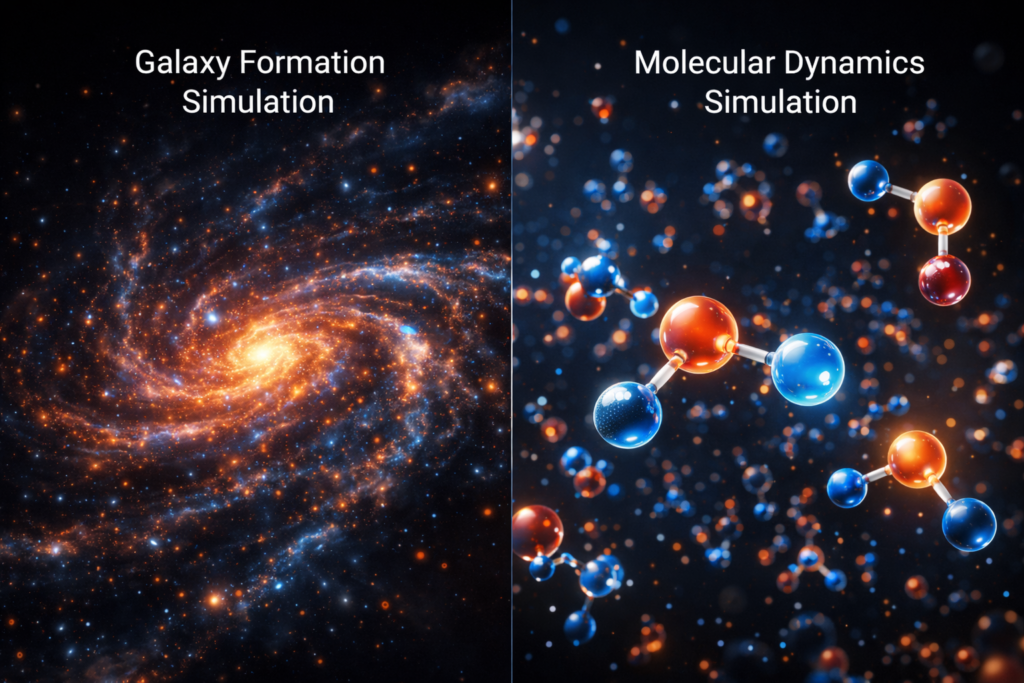
Astrophysics:
Simulating galaxy formation and dark matter movement.
Molecular Dynamics:
Studying atomic interactions in drug development.
Particle Physics:
Modeling particle collisions in accelerators.
High Performance Computing (HPC):
Supercomputers use thousands of GPUs for large-scale N-body simulations.
How to Run the CUDA NBody Sample?
- Install the CUDA toolkit
- Ensure a compatible NVIDIA GPU
- Compile NBody sample
- Run executable
- Adjust particle count
- Monitor GPU temperature and usage
Output shows:
- Particle updates per second
- Frame rate
- Simulation time
Higher updates mean better compute performance.
Troubleshooting Low NBody Scores:
If performance is low:
- Update GPU drivers
- Check temperature
- Close background applications
- Increase power limit (if safe)
- Ensure correct CUDA version
- Disable thermal throttling
Most issues are related to cooling or driver mismatch.
Does NBody Score Reflect Gaming Performance?
No, NBody measures raw math performance.
Gaming depends on:
- Rasterization
- Ray tracing
- Texture units
- Game engine optimization
A high NBody score does not guarantee higher FPS.
These steps solve most performance issues.
If you are confused about how compute workloads differ from gaming bottlenecks, you should also understand what GPU-bound means in real-world scenarios.
FAQ’s:
What is the NBody GPU benchmark used for?
The NBody GPU benchmark measures your GPU’s compute performance by simulating gravitational interactions between particles. It helps you evaluate raw parallel processing power.
How does the NBody benchmark test GPU performance?
It performs millions of floating-point calculations between particles simultaneously. Your score depends on compute cores, clock speed, and memory bandwidth.
Does the NBody benchmark affect gaming performance?
No, NBody measures compute power, not gaming graphics performance.
Is the NBody simulation CPU-based?
No, Modern NBody benchmarks primarily use GPU parallel processing for better speed.
Can AMD GPUs run NBody benchmarks?
Yes, AMD GPUs can run NBody simulations, especially through OpenCL-based implementations.
Conclusion:
The NBody GPU benchmark helps you measure real compute performance, not gaming FPS. It shows how well your GPU handles parallel calculations, memory bandwidth, and floating-point operations. If you work with simulation, CUDA, or physics workloads, understanding NBody GPU benchmark results helps you choose the right graphics card and optimize performance effectively.