
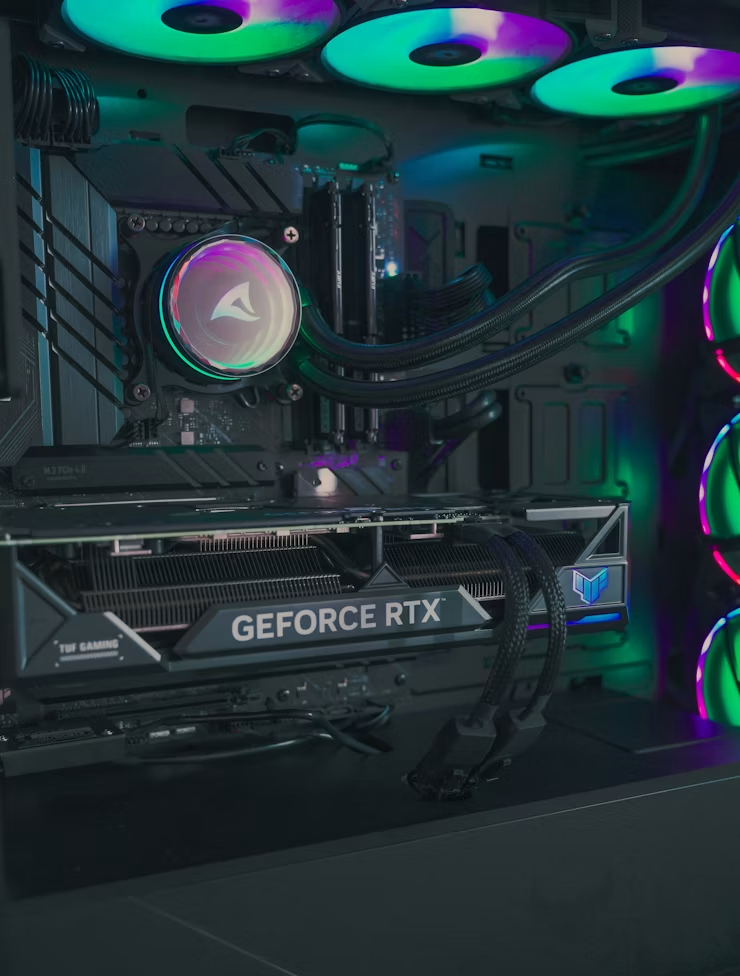
From my experience helping people build gaming PCs, Zotac is one of those brands that gets asked about a lot. If someone is trying to save money but still wants solid gaming performance, Zotac is often on their shortlist. I would not say the answer is yes or no; it really depends on the specific model, the price, and what you expect from the card
Is Zotac a Good GPU Brand?
Yes, Zotac is a good GPU brand for most buyers, particularly if you want solid NVIDIA GeForce performance without paying a premium just for a more recognised label. Zotac may not carry the same prestige as ASUS ROG, MSI Suprim, or Gigabyte AORUS. Still, its graphics cards consistently deliver strong gaming performance, reliable daily use, and genuine value for money.
Here is what I tell people: do not judge the brand, judge the exact model. A well-priced Zotac RTX card with good cooling can be an outstanding purchase. But a small dual-fan Zotac card may not stay as cool or quiet as a large triple-fan model from another brand: same chip, very different experience. Zotac is best understood as a value-focused GPU brand. You’re getting the same core NVIDIA GPU chip found in cards from bigger brands, just at a lower price. That makes it attractive for gamers, students, video editors, and PC builders who want real performance without overspending.
In normal gaming, a Zotac RTX card performs very close to ASUS, MSI, Gigabyte, or PNY cards using the same GPU chip. The real differences usually come down to cooling efficiency, fan noise, power limits, warranty terms, and build quality, not raw frames per second.
Best Type of Buyer for Zotac:
Zotac makes a lot of sense if you:
- Want strong gaming performance for the price
- Prefer NVIDIA RTX features like DLSS 3 and ray tracing
- Are you building a compact or Mini-ITX PC
- Don’t care much about flashy RGB or luxury aesthetics
- Want a practical card rather than a flagship showpiece
- Found a Zotac card noticeably cheaper than similar options
For many people, the buying decision becomes obvious when the price gap is real. If a Zotac RTX 4070 costs significantly less than the ASUS or MSI version of the same GPU, and the cooling reviews are decent, that is usually the smarter buy.
Who Should Think Twice?
Zotac may not be your first choice if you want the quietest GPU possible, the most premium cooler, or the most consistent customer support in your region. Warranty and RMA experiences can vary significantly depending on your country and seller.
Before buying, check these points:
| Factor | Why It Matters |
| Exact GPU model | Not all Zotac cards are equal |
| Cooler size | Bigger coolers usually run quieter and cooler |
| Warranty terms | Coverage can vary by region |
| Seller reputation | Authorized sellers are far safer |
| Price difference | Zotac shines most when it saves you real money |
Truth: Zotac is a good brand, but it is not one you should buy blindly. Compare the exact card, read real user reviews, and verify warranty support before clicking Add to Cart.
Zotac Pros and Cons:
Pros:
- Usually priced lower than competing RTX cards from premium brands
- Uses the same NVIDIA GPU architecture as ASUS, MSI, and Gigabyte
- Excellent selection of compact GPUs for smaller PC builds
- Strong gaming performance relative to price
- Widely available across many regions globally
- Full support for NVIDIA technologies: DLSS 3, ray tracing, Reflex, and NVENC
Cons:
- Cooling performance varies significantly between card models
- Some compact cards run louder under sustained heavy load
- Premium build quality may not match flagship ASUS ROG or MSI Suprim designs
- Customer support quality varies noticeably by region
- Factory overclocks are usually modest rather than aggressive
For most gamers, the advantages clearly outweigh the disadvantages as long as the Zotac card is priced noticeably lower than competing models.
Zotac as a GPU Brand:
Zotac is a well-established hardware company focused primarily on NVIDIA graphics cards, gaming PCs, mini PCs, and compact computer systems. It is in the market long enough to earn serious credibility in the PC hardware world, even if it does not always grab headlines the way ASUS or MSI does.
For GPU buyers, Zotac is best known for its Zotac Gaming GeForce lineup. These cards span a range of price points, from entry-level 1080p gaming GPUs to high-end models designed for 1440p, 4K gaming, streaming, and professional creative work.
What Zotac Is Known For:
Three things stand out. First, competitive pricing, Zotac consistently undercuts premium brands on price without gutting performance. Second, a strong compact GPU lineup, which matters a lot for small form factor builds. Third, straightforward access to NVIDIA RTX features without the premium-brand price tag attached.
If someone tells me they want performance without paying for a badge, Zotac is almost always one of the first names I mention.
Its GPU lineup includes series like Twin Edge, Trinity, AMP, and AMP Extreme, ranging from basic compact models to larger, better-cooled premium options depending on the generation.
Zotac’s Position in the GPU Market:
Zotac sits comfortably between budget and mainstream-premium territory. It is not the cheapest no-name brand, and it is not the most expensive luxury option either. It’s a practical middle-ground, and for many buyers, that’s exactly the right place to be.
| Brand | General Reputation | Best Known For |
| ASUS | Premium, often expensive | Strong coolers, high-end designs |
| MSI | Gaming-focused | Solid thermal performance |
| Gigabyte | Mainstream value | Wide model selection |
| Zotac | Value-focused | Competitive pricing, compact cards |
| PNY | Practical, professional | Workstation-style simplicity |
| Palit/Gainward | Budget-friendly in some regions | Lower entry pricing |
Zotac does not need to win every category to be worth your money. Its main appeal is value, and when the price is right and the model has decent cooling, Zotac can be one of the most sensible GPU purchases you make.
Budget, Midrange, and High-End Options:
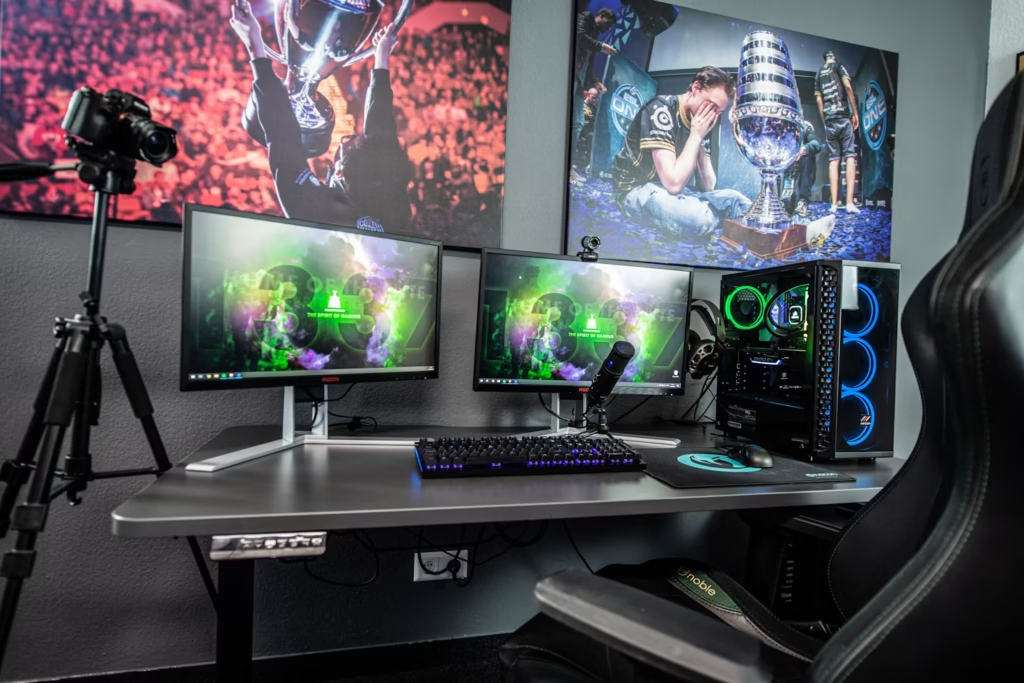
Budget Zotac GPUs:
Budget Zotac cards are solid for 1080p gaming, esports titles, office work, student use, and light video editing. Simpler coolers and fewer premium features, yes, but they do exactly what you need if your expectations are grounded.
Midrange Zotac GPUs:
This is honestly where Zotac is at its best. Midrange cards can deliver excellent 1080p and 1440p performance without the steep price of flagship models. For the majority of gamers, this is the sweet spot, and Zotac hits it well.
High-End Zotac GPUs:
Zotac does sell powerful high-end GPUs capable of demanding games, ray tracing, 4K gaming, and creator workloads. But I had been more careful here. At higher price points, cooler quality, noise levels, warranty coverage, and long-term support matter more. Compare reviews closely before committing.
Real-World Performance
When people ask, Is Zotac a good GPU brand? What they really mean is: will this card actually run my games? Will it handle editing? Will it last a few years without problems?
In most cases, yes.
The most important component in any graphics card is the GPU chip itself.
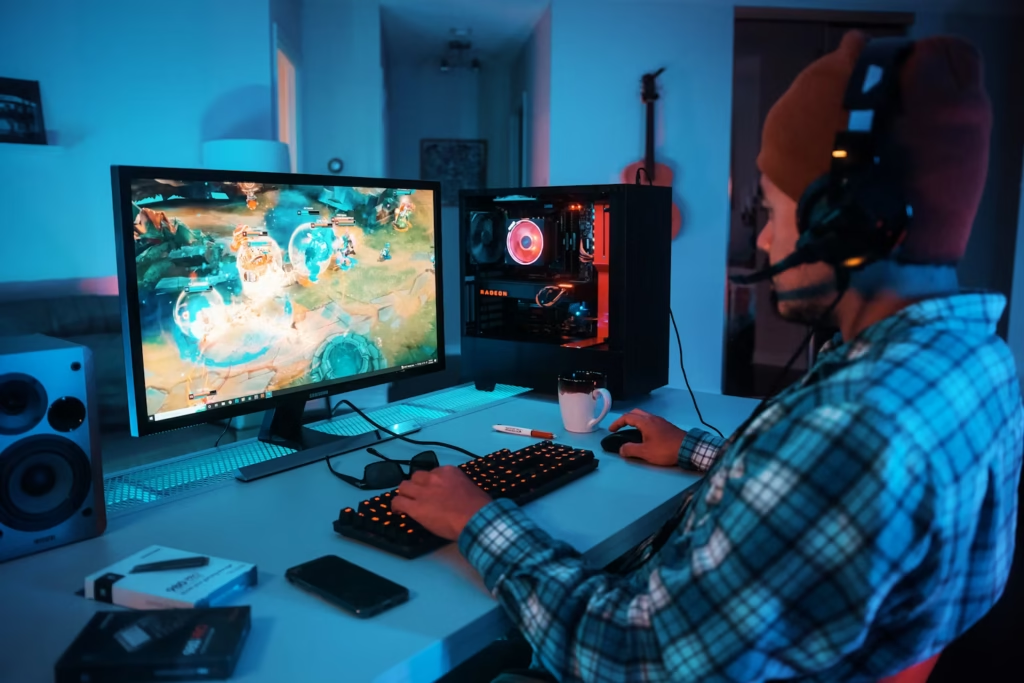
Zotac uses NVIDIA GeForce chips, the same silicon found in cards from ASUS, MSI, Gigabyte, and PNY. So a Zotac RTX 4070 and an MSI RTX 4070 are built around the same core GPU. The differences between them, including cooling solution, fan noise, boost clock, power limit, and physical design, can affect your daily experience, but the base gaming performance is usually very close.
Gaming Performance:
A Zotac card can run modern games smoothly as long as you choose the right GPU tier for your target resolution:
| Gaming Target | Suggested GPU Tier |
| 1080p esports (Valorant, CS2, Fortnite) | Entry-level to midrange RTX |
| 1080p ultra settings | Strong midrange RTX |
| 1440p gaming | Midrange to upper-midrange RTX |
| 4K gaming | High-end RTX |
| Heavy ray tracing | Stronger RTX model recommended |
Zotac GPUs are commonly used for games like Fortnite, Valorant, Call of Duty, GTA V, Cyberpunk 2077, Apex Legends, CS2, and many other modern titles. Your frame rates will depend far more on which GPU chip is inside the card than on which brand logo is printed on the shroud.
Many gamers blame their GPU for low frame rates, but the real issue can sometimes be a GPU bottleneck. Check out our detailed guide on What Does GPU Bound Mean?
Creative Performance:
Zotac GPUs are a practical option for creators, too. If you work with video editing, 3D rendering, AI-assisted tools, live streaming, or photo editing, NVIDIA RTX cards are often the right choice. Many professional creative applications are specifically optimised for NVIDIA GPU acceleration.
Zotac RTX cards can meaningfully help with:
- Faster video exports in DaVinci Resolve and Premiere Pro
- Smoother real-time editing timelines
- Faster 3D render times in Blender
- GPU-accelerated visual effects
- NVENC-powered streaming with minimal CPU impact
- AI-assisted creative workflows
One important note for creators: don’t overlook VRAM. A card with insufficient VRAM will struggle with heavy editing timelines, large 3D scenes, high-resolution textures, and AI workloads. For serious creative use, look at 12GB or 16GB VRAM options and make sure cooling is adequate for sustained workloads.
Running out of VRAM can force your system to use slower shared memory. Learn how memory allocation works in What Is Shared GPU Memory?
Does GPU Brand Change Performance?
Brand affects performance, but usually far less than beginners expect. The GPU chip matters most. Cooling and power limits come next. The brand name is near the bottom.
A premium card might boost slightly higher because better cooling allows higher sustained clock speeds. But in real gaming scenarios, the performance gap between two cards sharing the same GPU chip is rarely dramatic.
| Factor | Impact on Gaming Performance |
| GPU chip | Very high |
| VRAM amount and bandwidth | High |
| Cooling solution | Medium to high |
| Power limit | Medium |
| Factory overclock | Low to medium |
| Brand name alone | Low |
Factory Overclocked Zotac Cards:
Some Zotac models ship with factory-overclocked default clock speeds slightly higher than reference. In real gaming, the performance boost is usually small, but it can be worth it if the price gap is minimal.
Factory-overclocked models often include improved coolers and stronger power delivery alongside the clock bump. That said, do not overpay purely for a modest factory overclock. A better cooler usually delivers more real-world benefit than a small increase in frequency.
What Experienced PC Builders Actually Check
Experienced builders rarely choose a graphics card based on brand alone. When I’m helping someone spec out a build, here’s what actually gets checked:
- GPU temperature under load. Does it throttle under sustained gaming?
- Fan noise levels: Is it tolerable at 80% load in a quiet room?
- Physical card dimensions: Does it fit the case without clearance issues?
- VRAM capacity is 8GB, still enough, or do you need 12GB+ for future titles?
- Warranty coverage: What is actually covered, and for how long?
- Power consumption: Does the PSU have headroom?
- Local pricing: What is the real street price in your region?
- Seller reputation: Is this an authorised retailer with a valid invoice?
A Zotac card that costs noticeably less while maintaining acceptable temperatures is often the smarter purchase over a more expensive competitor. But if a premium model offers significantly better cooling for only a small price difference, spending extra is genuinely worth it.
This is how good PC builds get made, not by chasing logos, but by comparing real numbers.
Cooling, Noise, and Build Quality:
Cooling is where graphics cards differ most in daily use. Two cards with identical GPU chips can feel completely different to own. One runs cool and near-silent. The other sounds like a turbine under load. Zotac makes both types, which is exactly why the specific model matters so much.
Dual-Fan vs Triple-Fan Zotac GPUs:
| Cooler Type | Best For | Possible Trade-off |
| Dual-fan | Compact cases, budget builds | Can run warmer and louder |
| Triple-fan | Better cooling, lower noise | Requires more case space |
| Compact models | Mini-ITX builds | Less thermal headroom |
| Premium AMP Extreme models | High-end gaming | Higher price point |
Dual-fan Zotac cards are great when space is the priority. If you are building a Mini-ITX or micro-ATX system, this can be a genuine advantage. Just know that smaller coolers have less surface area, so fans spin faster to compensate.
Triple-fan Zotac cards work better in mid-tower and full-tower cases. They typically run cooler and quieter because the thermal load is spread across more mass.
Thermals and Fan Noise:
A compact Twin Edge card simply won’t cool like a larger AMP Extreme model. That is physics, not a flaw. GPU temperatures in your specific build are shaped by:
- Cooler size and fan design
- Quality of thermal pads and paste
- Case airflow and fan configuration
- Room ambient temperature
- Dust buildup over time
- Power draw of the specific GPU
Poor case airflow will make any GPU run hot, including premium brands. A Zotac card in a well-ventilated mid-tower with front intake fans can comfortably outperform an expensive card stuffed into a poorly ventilated case.
Seeing temperatures in the 80s? Many gamers immediately assume something is wrong. Find out whether those temperatures are safe in Is 85 Celsius Hot For GPU?
Compact Builds:
Zotac’s compact GPU lineup is genuinely one of its strongest selling points. Mini-ITX builders, small desk setups, and living-room gaming PCs all benefit from shorter, slimmer cards, and Zotac makes more of them than most competitors.
Benefits of a compact Zotac GPU:
- Fits smaller cases where full-size cards won’t
- Reduces GPU sag in vertical or compact mounts
- Simpler installation process
- Cleaner cable routing in tight builds
Trade-off: compact cards may run louder under load. If silence is your priority over size, a larger triple-fan model is the right call.
Warranty, Support, and Reliability:
A GPU is a long-term investment. You need it to work reliably for years, not just for the first few months. That’s why warranty terms and support quality matter as much as benchmark scores.
Zotac GPUs are generally reliable when purchased new from authorised sellers. Many users run Zotac cards for 4 to 6 years without significant issues. However, like every GPU brand, Zotac has mixed feedback specifically around customer support and the RMA process.
Check Zotac’s official warranty coverage and registration requirements.
Zotac Warranty:
Warranty terms vary by country. Some regions offer extended coverage if you register your product within a specific window after purchase. Others have different rules entirely.
Before buying, check Zotac’s official warranty page for your specific region.
| Warranty Point | Why It Matters |
| Warranty length | Defines how long you’re protected |
| Registration requirement | Some extended warranties require timely registration |
| Purchase invoice | Almost always required for claims |
| Authorized seller requirement | Unauthorized purchases may void coverage |
| Regional restrictions | International purchases may not qualify |
| Physical damage policy | Tampering typically voids the warranty |
Never assume your warranty is the same as someone else’s in a different country. Always verify with your local Zotac distributor.
RMA and Customer Support:
RMA (return merchandise authorisation) is where GPU support experiences the most. Some Zotac users report smooth, fast resolutions. Others describe slow processes, communication gaps, or strict documentation requirements.
This is not exclusive to Zotac: GPU brand support quality varies widely by country and distributor, regardless of brand. But it is fair to note that Zotac’s support reputation isn’t as consistently strong in every region as ASUS or MSI at the premium tier.
To protect yourself as a buyer:
- Purchase from an authorised retailer only
- Keep the original invoice in a safe place
- Register the product if your region requires it
- Save the original box and packaging
- Photograph the card immediately upon arrival
- Avoid any modifications that could void coverage
- Be cautious of suspiciously cheap marketplace listings
Buying From Authorised Sellers:
This is the single most important piece of advice I can give you. A brand-new Zotac GPU from an authorised seller with a valid invoice is a completely different purchase from a used card bought off a random marketplace listing.
A safe purchase includes:
| Item | Why It Helps |
| Factory-sealed box | Minimizes risk of prior tampering |
| Valid purchase invoice | Required for warranty claims |
| Return window available | Protection against early defects |
| Local warranty coverage | Faster, easier support process |
| Legible serial number | Required for product registration |
If a seller can not provide proof of purchase, walk away. A GPU that saves you money upfront but has no warranty coverage can become a very expensive mistake six months later.
Zotac vs ASUS, MSI, Gigabyte, and PNY:
Where Zotac Performs Well:
Zotac consistently holds its own in:
- Competitive pricing across most GPU tiers
- Real-world gaming performance
- Compact and Mini-ITX GPU selection
- Practical, no-frills design philosophy
- Midrange value, this is Zotac’s strongest territory
- Broad availability across global markets
When a Zotac card is meaningfully cheaper than the ASUS or MSI equivalent, buying Zotac and investing the savings into a better SSD, monitor, or CPU cooler is often the smarter overall build decision.
Where Zotac Falls Behind:
At the premium end, Zotac loses ground on build quality feel, cooler sophistication, and support consistency. Flagship ASUS ROG, MSI Suprim, and Gigabyte AORUS cards bring larger heatsinks, more refined fan systems, stronger power delivery, and more polished aesthetics.
That is not a reason to avoid Zotac. It is just a reason to understand where Zotac is strongest, and that is at value, not luxury.
| Buyer Priority | Better Fit |
| Best overall value | Zotac |
| Best premium cooler and aesthetics | ASUS/MSI/Gigabyte high-end |
| Compact or Mini-ITX build | Zotac |
| Aggressive overclocking | Premium models from any brand |
| Quietest possible setup | Large triple-fan models |
| Budget RTX build | Zotac is often excellent |
When the price gap is small, compare individual reviews carefully. When the price gap is significant, Zotac usually becomes the more rational choice.
Real-World Zotac Ownership Experience:
One reason Zotac continues to sell well is straightforward: most owners report years of stable, consistent gaming performance. In day-to-day use, the average gamer is unlikely to notice a meaningful FPS difference between a Zotac RTX card and a competing card using the same NVIDIA GPU.
The differences that actually show up in real ownership are temperatures, fan noise, physical footprint, and warranty experience, not raw gaming performance.
A gamer upgrading from a GTX 1660 to a Zotac RTX 4060 or RTX 4070 will experience a dramatic improvement in frame rates, DLSS 3 support, and ray tracing capability. That upgrade experience comes from the GPU chip, not from which company’s logo is on the fan housing.
This is exactly why experienced builders focus on the specific model, cooler design, thermal performance, and price rather than brand loyalty.
Final Buying Checklist:
Before buying, ask the right question. Not just: Is Zotac a good GPU brand?
Ask: Is this specific Zotac GPU right for my build, my budget, and my local warranty situation? That question leads to a far better decision.
When Zotac Is Worth Buying:
Buy Zotac when:
- It’s noticeably cheaper than competing cards at the same GPU tier
- The specific model has positive cooling and noise reviews
- Your case has decent airflow
- You’re buying from an authorised seller with a valid invoice
- Warranty coverage is confirmed for your region
- You don’t need flagship-level RGB or luxury build quality
- You want maximum performance per dollar spent
When You Should Skip Zotac:
Consider alternatives when:
- A better-cooled competing card costs almost the same price
- Local support and RMA reviews are consistently poor
- The seller cannot provide a valid invoice
- You need the quietest possible GPU for a silent build
- You’re planning aggressive manual overclocking
- You’re buying a high-end GPU and want premium build quality throughout
Simple Zotac Buyer Scorecard:
| Category | Rating |
| Gaming performance | Good |
| Value for money | Very Good |
| Cooling | Model-dependent |
| Noise levels | Average to Good |
| Compact GPU options | Very Good |
| Build quality | Good |
| Premium feel | Average |
| Warranty | Region-dependent |
| Customer support | Mixed |
| Overall verdict | Good at the right price |
FAQ’s:
Is Zotac a good GPU brand for gaming?
Yes. Zotac’s NVIDIA GeForce RTX cards handle modern games well when you choose the right model for your resolution and use case. For most gamers, Zotac offers strong performance at a fair price, particularly in the midrange tier.
Are Zotac GPUs reliable?
Generally, yes, especially when purchased new from authorised sellers. Long-term reliability depends on the specific model, cooling design, power supply quality, case airflow, and how well the card is maintained over time.
Is Zotac better than ASUS?
ASUS tends to have more premium models with stronger cooling systems and more refined build quality. Zotac usually offers better value per dollar. If both cards cost the same, ASUS is often the better choice. If Zotac is significantly cheaper, Zotac often wins.
Do Zotac GPUs run hot?
Compact Zotac models can run warmer than larger triple-fan designs, which is normal for smaller cards. For better thermals, choose a larger Zotac model and ensure your case has adequate airflow with proper intake and exhaust fans.
Is Zotac good for 4K gaming?
Yes, with the right GPU tier. Entry-level Zotac cards target 1080p, midrange cards handle 1440p well, and high-end Zotac RTX models are capable at 4K with modern DLSS support.
Conclusion:
I have seen while helping people choose graphics cards and build gaming PCs, Zotac is a brand that often gets overlooked simply because it doesn’t have the same premium image as ASUS ROG, MSI Suprim, or Gigabyte AORUS. However, in real-world gaming, a Zotac card using the same NVIDIA GPU chip can deliver very similar performance.
When I look at any graphics card, I never focus on the brand name alone. I compare the exact model, cooling quality, noise levels, warranty support, seller reputation, and most importantly, the price. There have been plenty of times when a Zotac card was noticeably cheaper than competing options while offering nearly the same gaming experience, making it an easy recommendation.