
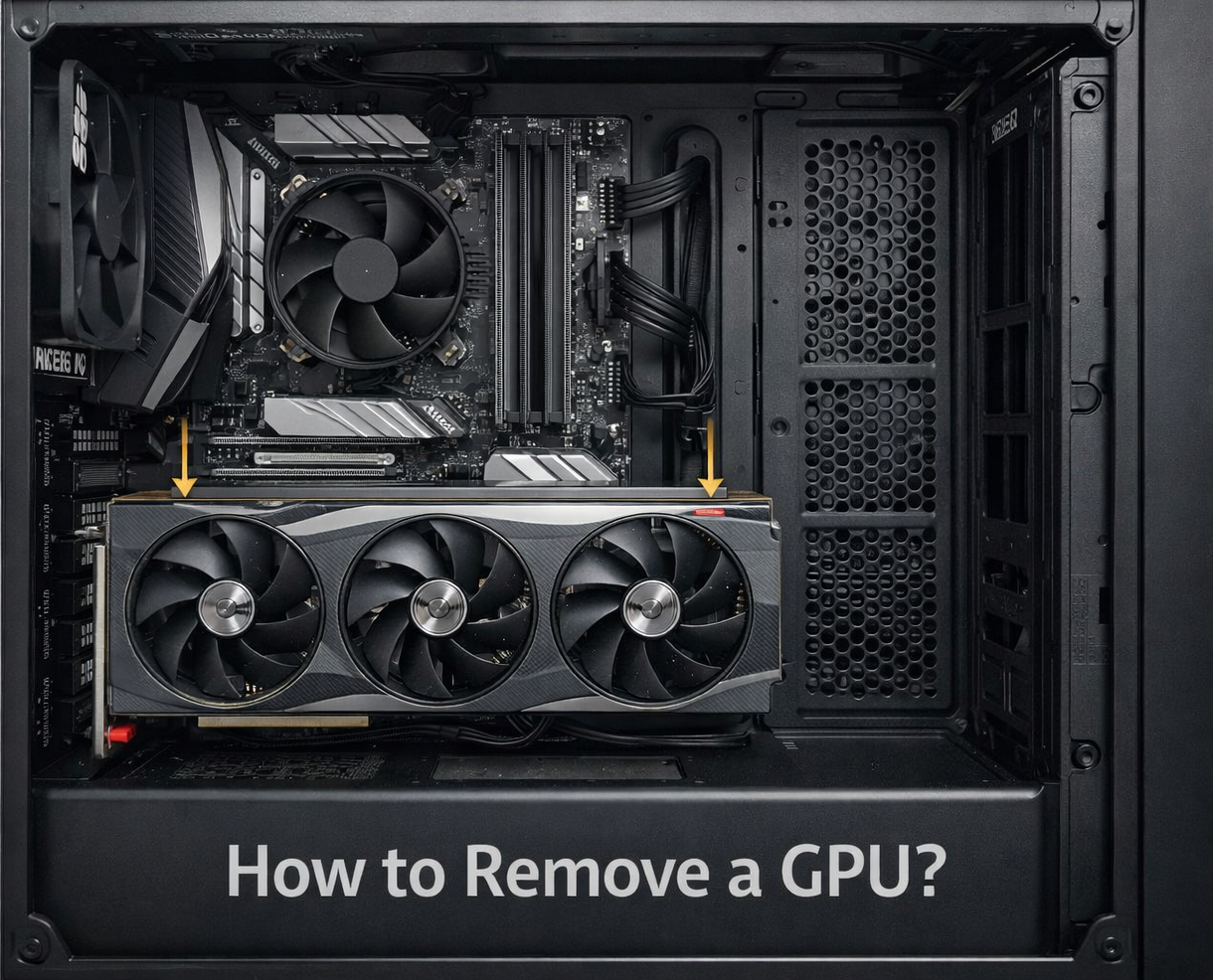
Removing a GPU might look difficult, especially if you have never opened a PC before. But in reality, it is a simple process if you follow the right steps and stay patient. Most problems happen when users rush or do not understand how the PCIe clip works. Modern GPUs, especially newer 2024 to 2026 models, are bigger and tighter in the slot, which can make removal feel harder than it actually is.
This guide explains everything clearly, from basic steps to real-world problems how to remove a GPU.
How Do You Remove a GPU Step by Step?
How to Remove a GPU On newer GPUs (2023 to 2026), space is tighter, and cards are heavier, so removal may feel harder than in older systems.
Quick reality: if your GPU does not come out easily, do not force it. In most cases, the PCIe clip is still locked, or a screw is missing. Forcing it is how people break motherboards.
Do You Need to Turn Off and Unplug the PC?
Yes, always shut down and unplug your PC before touching anything. Even if the system looks off, power can still be present on the motherboard.
- Turn off PC completely (not sleep mode)
- Unplug the power cable from the wall
- Press the power button for 5 seconds to drain leftover power
How Do You Open the PC Case Safely?
Most cases open from the left side panel. Use a screwdriver if the screws are tight, and do not force anything.
- Remove side panel screws (usually back side)
- Slide the panel gently backward
- Place it somewhere safe to avoid scratches
Where Is the GPU Located on the Motherboard?
The GPU sits in the long PCIe slot, usually the top one closest to the CPU. It is the largest card inside your PC.
- Look for a large horizontal card
- Connected to the rear case slots
- Has power cables attached (in most builds)
Also Read: How to Check Motherboard Damage from the GPU?
How Do You Disconnect GPU Power Cables?
Modern GPUs use tight connectors, so do not rush this step.
- Press the small latch on the connector
- Pull straight out, not sideways
- Do not yank connectors; they are tight by design
How Do You Unscrew the GPU Correctly?
The GPU is fixed to the case with screws. Remove them before touching the card.
- Use a Phillips screwdriver
- Hold the GPU steady while unscrewing
- Keep the screws safe, you will need them later
Where Is the PCIe Clip and How Do You Release It?
The PCIe clip is a small plastic latch at the end of the slot near the motherboard side. This is where most people mess up.
- Located under the GPU edge
- Push it down or sideways (depends on the board)
- On large GPUs, your finger may not fit; use a plastic tool carefully
How Do You Safely Pull the GPU Out?
Once everything is unlocked, the GPU should come out smoothly.
- Hold the GPU from both ends
- Pull straight out with gentle force
- Avoid tilting or bending the card
If the GPU does not move at all, stop immediately. This usually means the PCIe clip is still engaged, which can crack the slot.
For verified hardware procedures and safe removal steps directly from a major GPU vendor, refer to NVIDIA’s official PCIe card removal guide.
Why Won’t My GPU Come Out?
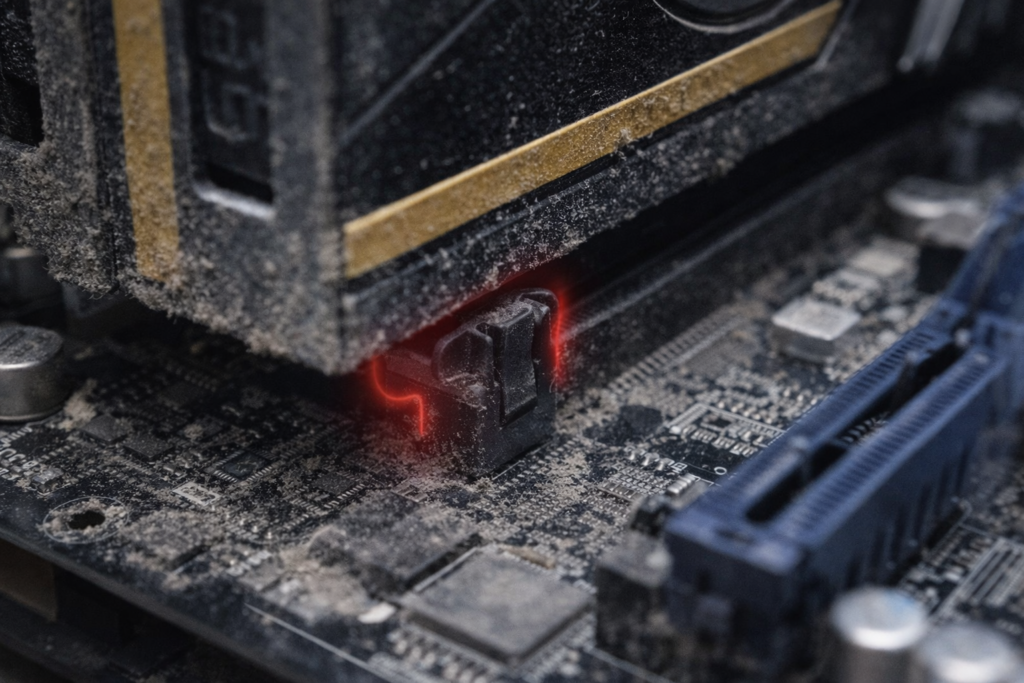
This is the most common problem. Even experienced users get stuck here, so do not assume something is broken.
Is the PCIe Clip Still Locked?
This is the main reason GPUs do not come out.
- Check from the motherboard side carefully
- Press the clip again
- You should feel a small click.
Is Dust Blocking the GPU?
Dust buildup can make the GPU feel stuck.
- Blow air around the slot area
- Check for dirt near connectors
- Clean before trying again
Are There Hidden Screws or Brackets?
| System Type | Possible Lock Type |
| Custom Build | Standard screws only |
| Prebuilt PC | Extra metal bracket |
| Gaming OEM | Plastic retention lock |
Always double-check before pulling.
How Much Force Is Safe to Use?
You should feel slight resistance, not stiffness. If the motherboard bends or the GPU does not move, stop. Something is still locked, usually the PCIe clip or a hidden screw.
If the GPU does not move after unlocking the clip, stop right there, as forcing it can permanently damage the PCIe slot within seconds.
What Mistakes Should You Avoid When Removing a GPU?
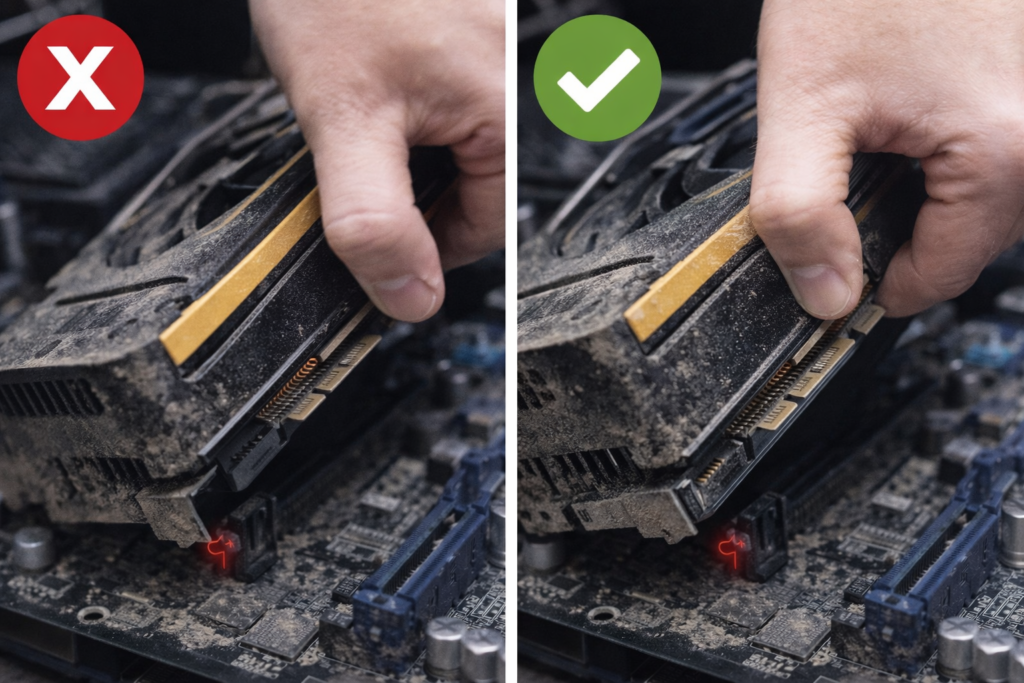
Can Pulling Too Hard Damage the GPU?
Yes, and this is where most people damage their system.
- Pulling before unlocking the clip
- Applying uneven force
- Holding only one side of the GPU
What Happens If You Forget the PCIe Clip?
You risk breaking the motherboard slot, which is not easily repairable.
- A slot can crack permanently
- The GPU connector can bend
- The system may stop working
Can You Damage the Motherboard?
Yes, especially with modern heavy GPUs. They put more stress on the slot.
- Avoid bending the board
- Support the GPU while removing
- Work slowly, not aggressively
What Is the Most Common GPU Removal Mistake?
Trying to pull the GPU before releasing the PCIe clip. This small mistake causes most hardware damage.
Can You Remove a GPU from a Laptop?
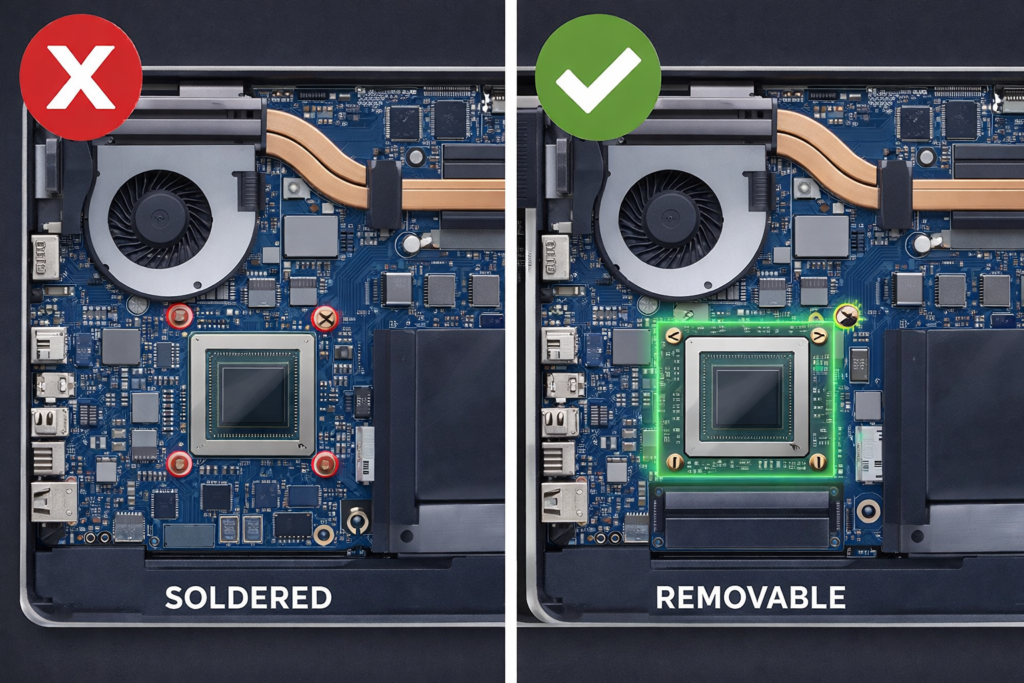
In most cases, no. Approximately 90-95% of laptops have GPUs soldered to the motherboard.
If you are using a normal laptop, do not try to remove the GPU. It is not designed for that and can cause permanent damage.
What Tools Do You Need to Remove a GPU?
| Tool | Why is it needed |
| Phillips screwdriver | To remove GPU screws |
| Anti-static strap (optional) | Prevent static damage |
| Flashlight | Helps see the PCIe clip clearly |
You do not need expensive tools. What matters more is visibility; if you can not clearly see the PCIe clip, you will struggle.
Is It Safe to Remove a GPU Yourself?
Yes, if you follow the correct steps. This is one of the easier PC tasks.
I have seen many users damage their PCIe slot by skipping the clip step. It is small but critical. Take your time and do not rush.
What Should You Do After Removing a GPU?
Once removed, handle it properly to avoid damage.
- Store in an anti-static bag if possible
- Keep it on a flat, clean surface
- Avoid touching gold connectors
Avoid placing the GPU on metal or carpet. Static damage is rare, but still possible in dry conditions.
Read Guide: Should GPU Fans Always Spin?
FAQs:
Do You Need to Press the PCIe Clip Hard?
No. It should move with light pressure. If not, your angle is wrong.
Can a GPU Get Stuck in the Slot?
Yes, due to dust, a tight fit, or a locked clip.
How Do You Know the GPU Is Fully Removed?
It will slide out cleanly with no resistance.
Can removing a GPU void a warranty?
Usually no, but some prebuilt PCs may have warranty seals.
Why does my GPU feel stuck even after removing the screws?
Because the PCIe clip is still locked, or dust is holding it.
Can I remove a GPU without removing the motherboard?
Yes, GPUs are designed to come out directly from the PCIe slot.
Conclusion:
Removing a GPU is not complicated, but it requires attention to detail. Most issues happen when users ignore the PCIe clip or try to force the card out. By following the correct steps and staying patient, you can remove your GPU safely without damaging your system. Whether you are upgrading or troubleshooting, understanding this process gives you more control over your PC and helps you avoid costly mistakes that many beginners make.