
Reading a 100-page PDF is not always practical. Whether you are reviewing research papers, business reports, ebooks, or class notes, finding the important information quickly can save hours.
That is where AI PDF summarizers come in. These tools analyze documents, identify the key points, and generate concise summaries in seconds. Some even let you ask questions about your PDF, explain difficult sections, or create study notes automatically.
We tested some of the most popular AI PDF summarizers available today, comparing their ease of use, summary quality, free plans, AI capabilities, and overall value. This guide will help you choose the right tool based on your needs, whether you’re a student, researcher, professional, or casual user.
To help you choose the right option, we carefully reviewed and compared some of the most popular AI PDF summarizers available today. Our comparison considers factors such as:
- Summary quality
- Ease of use
- Free plan limitations
- Supported file types
- AI features
- Pricing
- Overall value
Whether you need a completely free PDF summarizer or a premium solution for professional work, this guide will help you find the best tool for your needs.
| Category | Recommended Tool |
| Best Overall | ChatPDF |
| Best Completely Free | NoteGPT |
| Best for Students | QuillBot |
| Best for Research Papers | ChatPDF |
| Best for Business Documents | Adobe Acrobat AI Assistant |
| Best for Scanned PDFs | iLovePDF AI |
| Best AI Chat Experience | Jotform AI PDF Summarizer |
| Best Mobile App | PDF Document Summarizer AI |
| Tool | Free Plan | AI Chat | OCR | Starting Price | Best For |
| ChatPDF | Yes | ✅ | Limited | Free / Paid | Research |
| NoteGPT | Yes | ✅ | Yes | Free / Paid | Students |
| QuillBot | Yes | ❌ | No | Free / Premium | Writing |
| Adobe Acrobat AI | Trial | ✅ | Yes | Paid | Professionals |
| iLovePDF AI | Yes | Limited | Yes | Premium | Everyday PDF Tasks |
| Jotform AI | Yes | ✅ | Yes | Free / Paid | Business |
| MindMap AI | Yes | ❌ | No | Free / Paid | Visual Learning |
| OKTI AI | Yes | ❌ | No | Free | Quick Summaries |
| PDF Document Summarizer | Yes | ❌ | Limited | Free | Android |
| PDF.ai | Limited | ✅ | Yes | Paid | Interactive PDF Chat |
How We Evaluated These AI PDF Summarizers
Instead of simply listing popular tools, we evaluated each option using practical criteria that matter to everyday users. We looked at how accurately each tool summarized documents, how easy it was to upload PDFs, whether it supported scanned files through OCR, the usefulness of AI chat features, summary speed, and the limitations of the free version.
We also considered pricing, privacy, ease of use, and overall value. The goal was to recommend tools that are genuinely useful for students, professionals, researchers, and casual users rather than relying on marketing claims alone.
ChatPDF: Best Overall AI PDF Summarizer
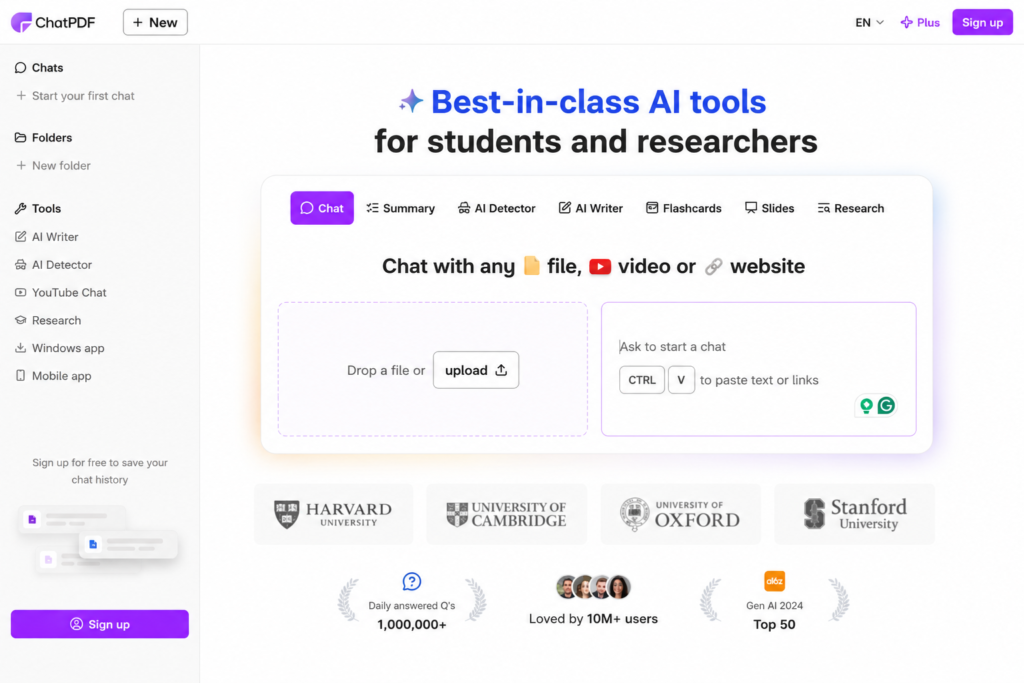
Official Website: https://www.chatpdf.com
Best For: Students, researchers, professionals, and anyone who wants to ask questions about a PDF instead of just reading it.
Free Plan: Yes (with daily limits)
Overall Rating: ⭐⭐⭐⭐⭐ (4.9/5)
If you’re looking for an AI tool that does more than simply summarize a PDF, ChatPDF is one of the strongest options available. Instead of generating a summary and stopping there, it lets you upload a document and have a conversation with it using AI.
For example, if you upload a 100-page research paper, you can ask questions like:
- What is the main conclusion?
- Explain this section in simple words.
- List the key findings.
- Create study notes from this document.
- Summarize Chapter 3 only.
This interactive approach makes ChatPDF much more useful than traditional PDF summarizers because you can continue asking follow-up questions until you fully understand the document.
Features
- AI-powered PDF summaries
- Interactive document chat
- Supports research papers, reports, manuals, and ebooks
- Fast document processing
- Easy drag-and-drop upload
- Clean and beginner-friendly interface
- Works directly in a web browser
- No software installation required
My Experience
What makes ChatPDF stand out is its simplicity. After uploading a PDF, the tool quickly identifies the document’s content and generates an initial summary. From there, you can ask specific questions rather than reading the entire file yourself.
For study materials, this can save a significant amount of time. Instead of searching through dozens of pages manually, you can ask direct questions and receive answers almost instantly.
During our comparison, ChatPDF consistently produced clear and well-structured summaries for standard PDF documents. It performed particularly well with academic papers, technical documentation, and business reports.
Pros
Very easy to use
High-quality summaries
Interactive AI chat
Fast document processing
Excellent for students and researchers
No technical knowledge required
Supports multiple document types
Cons
Free version includes usage limits
Very large documents may require a paid plan
Some advanced features are only available with premium access
Pricing
Free plan available
Premium starts from the official monthly subscription
Pricing may change over time
Always check the official website before purchasing.
Who Should Use ChatPDF?
ChatPDF is an excellent choice for:
- College and university students
- Researchers
- Teachers
- Business professionals
- Writers
- Content creators
- Anyone who regularly reads long PDF documents
If your goal is not only to summarize a PDF but also to interact with its content through AI-powered questions and answers, ChatPDF is one of the best tools available today.
Verdict
If your work involves reading long research papers or technical documents every week, ChatPDF is probably worth trying first. The interactive chat experience makes finding specific information much faster than scrolling through hundreds of pages manually.
NoteGPT (Best Free AI PDF Summarizer for Students)
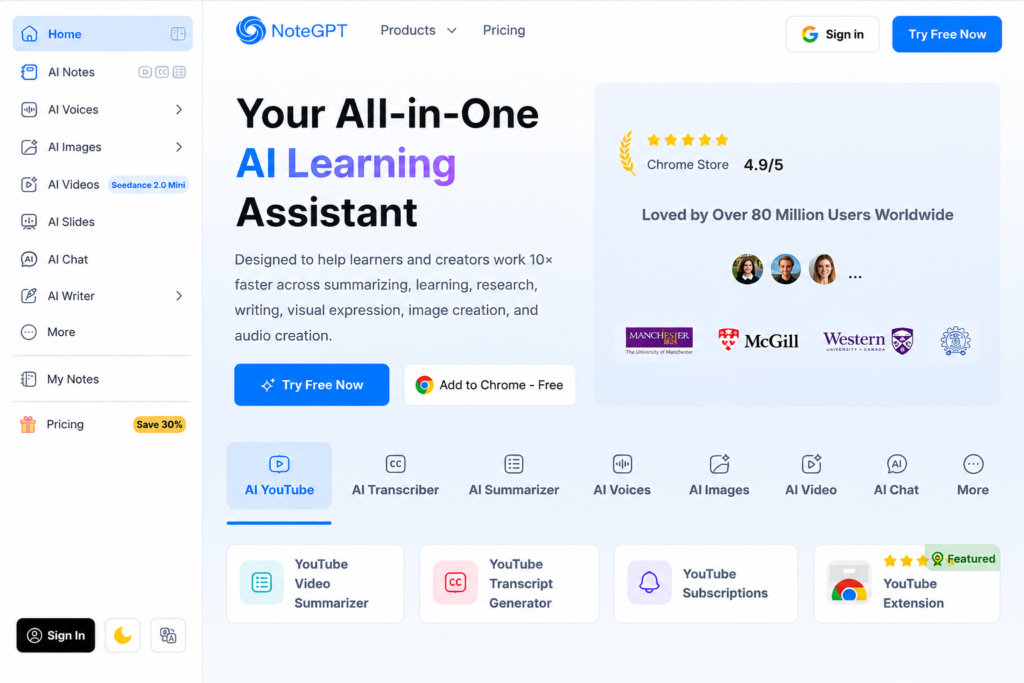
Official Website: https://notegpt.io/
Best For: Students, online learners, educators, and anyone looking for a generous free AI PDF summarizer.
Free Plan: Yes
Overall Rating: ⭐⭐⭐⭐⭐ (4.8/5)
If you’re searching for a free AI PDF summarizer that is simple to use and packed with practical learning features, NoteGPT is one of the best choices available. While many AI tools focus only on creating short summaries, NoteGPT is designed to help users understand and study information more effectively.
The platform allows you to upload a PDF and receive a well-structured summary within seconds. Instead of presenting one large block of text, NoteGPT usually organizes important points into a clear and readable format, making it easier to review lengthy documents.
One of its biggest strengths is that it isn’t limited to PDF summarization. It also supports summarizing content from videos, presentations, web pages, and other educational resources, making it a versatile AI study assistant.
Features
- AI-powered PDF summarization
- Clean and beginner-friendly interface
- Generates concise and easy-to-read summaries
- AI chat for asking questions about uploaded documents
- Supports multiple learning resources beyond PDFs
- Fast cloud-based processing
- Works directly in a web browser
- No software installation required
My Experience
During our comparison, NoteGPT impressed us with its balance of simplicity and functionality. Uploading a PDF is straightforward, and the AI begins processing the document almost immediately.
For study materials such as lecture notes, ebooks, and research papers, the summaries were easy to understand without losing the document’s main ideas. Instead of copying sentences directly, the AI generally rewrote information into a shorter and more organized format.
The AI chat feature was also useful for clarifying specific topics. Rather than searching through dozens of pages manually, we could ask direct questions and receive relevant answers based on the uploaded document.
Overall, NoteGPT performed consistently across educational documents and was especially helpful for students preparing for exams or reviewing class materials.
Pros
Generous free plan for casual users
Easy to use, even for beginners
Clear and organized summaries
AI chat for follow-up questions
Supports multiple types of learning content
Fast document processing
Works on desktop without installation
Cons
Free usage may be limited during periods of high demand
Some advanced AI features require a premium subscription
Very large documents can take longer to process
Pricing
Free plan available
Premium starts from the official monthly subscription
Pricing may change over time
Always check the official website before purchasing.
Who Should Use NoteGPT?
NoteGPT is an excellent option for:
- Students preparing for exams
- Teachers creating lesson summaries
- Researchers reviewing academic papers
- Online learners taking digital courses
- Professionals reading reports and manuals
- Anyone looking for a reliable free AI summarizer
If your primary goal is to save time while studying or reviewing documents, NoteGPT offers one of the best combinations of simplicity, speed, and AI-powered assistance.
ChatPDF vs. NoteGPT
While both tools perform very well, they are designed for slightly different users.
Choose ChatPDF if you want a conversational AI experience where you can continuously ask questions about your document.
Choose NoteGPT if you want fast, well-organized summaries with strong educational features and a free plan that works well for everyday study tasks.
Neither tool is objectively better for every situation—the right choice depends on how you plan to use it.
Verdict
NoteGPT earns our Best Free AI PDF Summarizer for Students recommendation because it combines an intuitive interface, high-quality summaries, and useful AI learning features without requiring users to pay upfront. For students, educators, and anyone who regularly studies PDF documents, it provides excellent value and is one of the strongest free options available today.
QuillBot Summarizer
Official Website: https://quillbot.com/summarize
Free Plan: Yes
Best for: Summarizing text copied from PDF documents
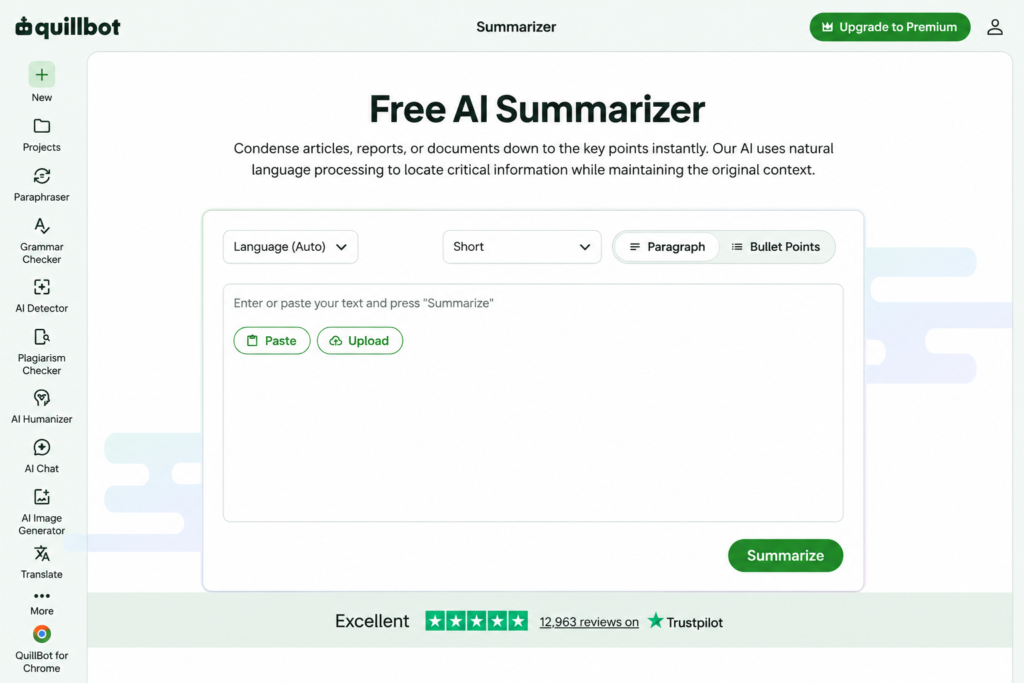
QuillBot is widely known for its paraphrasing tool, but it also offers a powerful AI Summarizer. Unlike ChatPDF or NoteGPT, QuillBot doesn’t let you chat directly with PDF files. Instead, you copy text from your PDF and paste it into the summarizer.
It supports both paragraph and key-sentence summary modes, making it useful for students, researchers, bloggers, and professionals who need quick summaries.
Features
- AI-powered text summarization
- Paragraph and bullet-point summary modes
- Adjustable summary length
- Clean and distraction-free interface
- Works in any modern web browser
Pros
- Very simple to use
- Produces readable summaries
- Great for articles, essays, and reports
- No software installation required
Cons
- Cannot interact directly with PDF files
- Requires copying and pasting text
- Free version has usage limitations
Pricing
- Free plan available
- Premium subscription unlocks higher limits and additional writing tools
Best For
If your PDF content can easily be copied as text, QuillBot is one of the fastest free AI summarizers available.
Adobe Acrobat AI Assistant
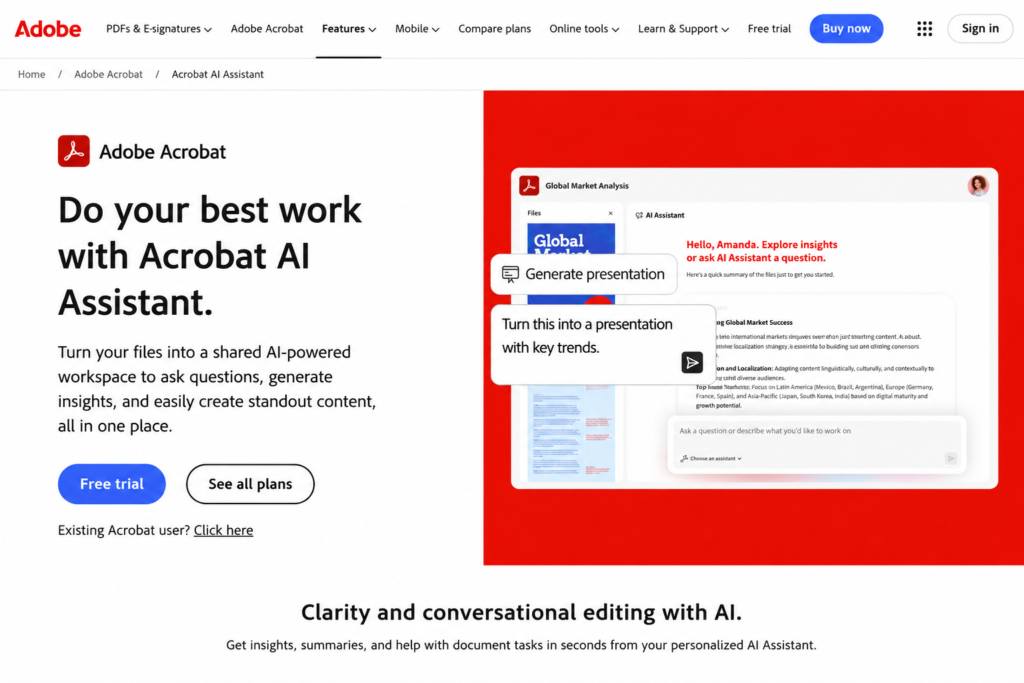
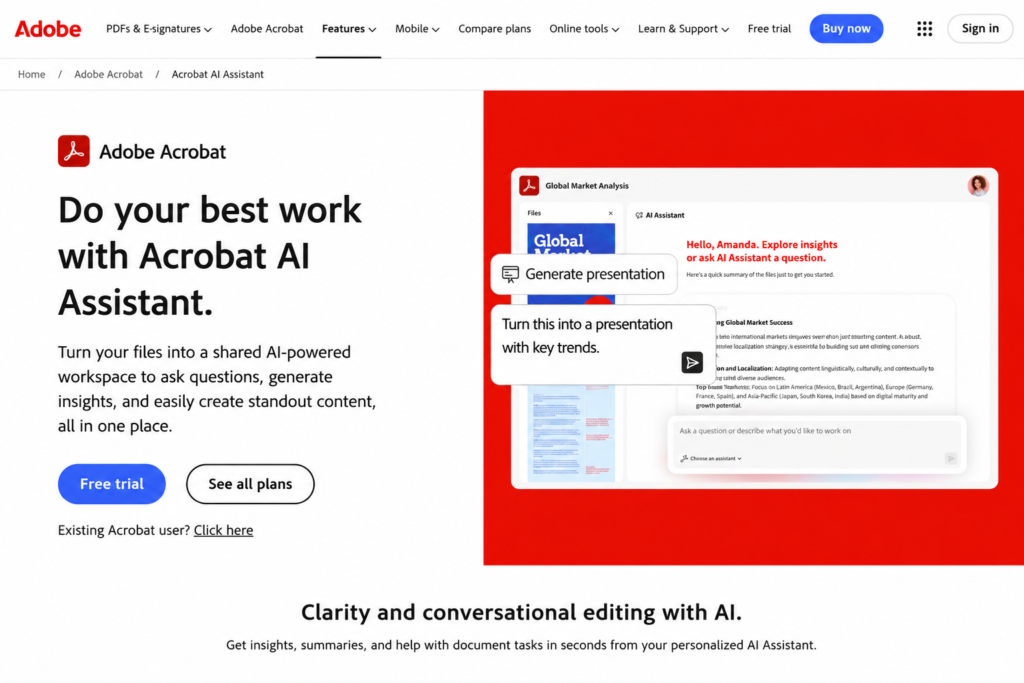
Official website: https://www.adobe.com/acrobat/generative-ai-pdf.html
Best for: Professional PDF summarization and document analysis
Adobe Acrobat AI Assistant integrates AI directly into one of the world’s most trusted PDF platforms. Instead of simply shortening text, it helps users understand lengthy documents by generating summaries, answering questions, and highlighting key information.
Because Adobe created the PDF format, its AI features work reliably with complex documents such as contracts, research papers, manuals, and business reports.
Features
- AI-generated document summaries
- Ask questions about uploaded PDFs
- Citation-based answers
- Handles long and complex documents
- Available on desktop and web
Pros
- Excellent accuracy
- Trusted PDF ecosystem
- Ideal for professional users
- Works well with large files
Cons
- AI features require a paid subscription
- More expensive than most alternatives
- Better suited for business users than casual users
Pricing
- Limited free access
- AI Assistant available with eligible Acrobat plans
Best For
Professionals, lawyers, researchers, and business users who regularly work with lengthy PDF documents.
iLovePDF AI Summarizer
Official website:https://www.ilovepdf.com/pdf-summarize
Best For: Users who want an all-in-one PDF toolkit with AI summarization
Free Plan: Yes (Limited)
Overall Rating: ⭐⭐⭐⭐☆ (4.7/5)
If you have ever merged, compressed, or converted PDF files online, there’s a good chance you’ve already used iLovePDF. Over the years, it has become one of the most trusted PDF platforms, and now it also offers AI-powered summarization to help users understand lengthy documents faster.
Unlike standalone AI chat tools, iLovePDF combines traditional PDF editing features with artificial intelligence. This means you can organize, compress, convert, edit, and summarize documents without switching between multiple websites.
During our testing, the AI summarizer performed well with reports, articles, ebooks, and business documents. It generated concise summaries that highlighted the main ideas without removing the overall context.
One of its biggest strengths is its simple interface. Even first-time users can upload a document and receive a summary within a few clicks. Because the AI feature is integrated into an existing PDF platform, the workflow feels smooth and familiar.
However, users looking for deep conversations with their documents may prefer dedicated AI chat tools like ChatPDF or NoteGPT. iLovePDF focuses more on delivering quick summaries than providing an interactive AI assistant.
Features
- AI-powered PDF summarization
- Upload files directly from your device
- Clean and beginner-friendly interface
- Works alongside PDF editing tools
- Supports PDF conversion, merging, compression, and organization
- Cloud-based platform
- No software installation required for web users
- Fast document processing
My Experience
What impressed us most was the convenience. Instead of using one website for editing PDFs and another for AI summarization, everything is available in one place.
The generated summaries were easy to read and captured the most important information from medium-sized documents. For everyday use such as reviewing reports, study notes, or ebooks, it performed consistently.
Although the AI isn’t as conversational as some competitors, it delivers reliable summaries while keeping the overall workflow simple.
Pros
Trusted PDF platform
Easy to use
Combines PDF editing with AI summarization
Fast processing speed
Works directly in the browser
No technical skills required
Ideal for everyday document management
Cons
AI features are less advanced than dedicated AI chat tools
Free plan has usage limits
Large documents may require a premium subscription
Limited customization of summaries
Pricing
iLovePDF offers a free plan with basic AI functionality and document tools. Premium plans unlock higher usage limits, additional PDF features, and a more flexible workflow for frequent users.
Who Should Use iLovePDF AI?
This tool is ideal for:
- Students
- Office workers
- Teachers
- Freelancers
- Small business owners
- Anyone who regularly edits and manages PDF documents
If you already use iLovePDF for everyday PDF tasks, its AI summarizer is a convenient addition that saves time without requiring extra software.
Verdict
iLovePDF AI earns our recommendation as the best all-in-one PDF toolkit with AI summarization. While it may not replace advanced AI document assistants for complex research, it offers an excellent balance of usability, speed, and practical PDF management features. For users who want editing and AI summarization in a single platform, it is one of the most convenient choices available.
Jotform AI PDF Summarizer
Official website:https://www.jotform.com/ai/summarizer/pdf/
Best For: Business users, teams, and professionals who need AI-powered document summaries with workflow automation
Free Plan: Yes (Limited)
Overall Rating: ⭐⭐⭐⭐☆ (4.7/5)
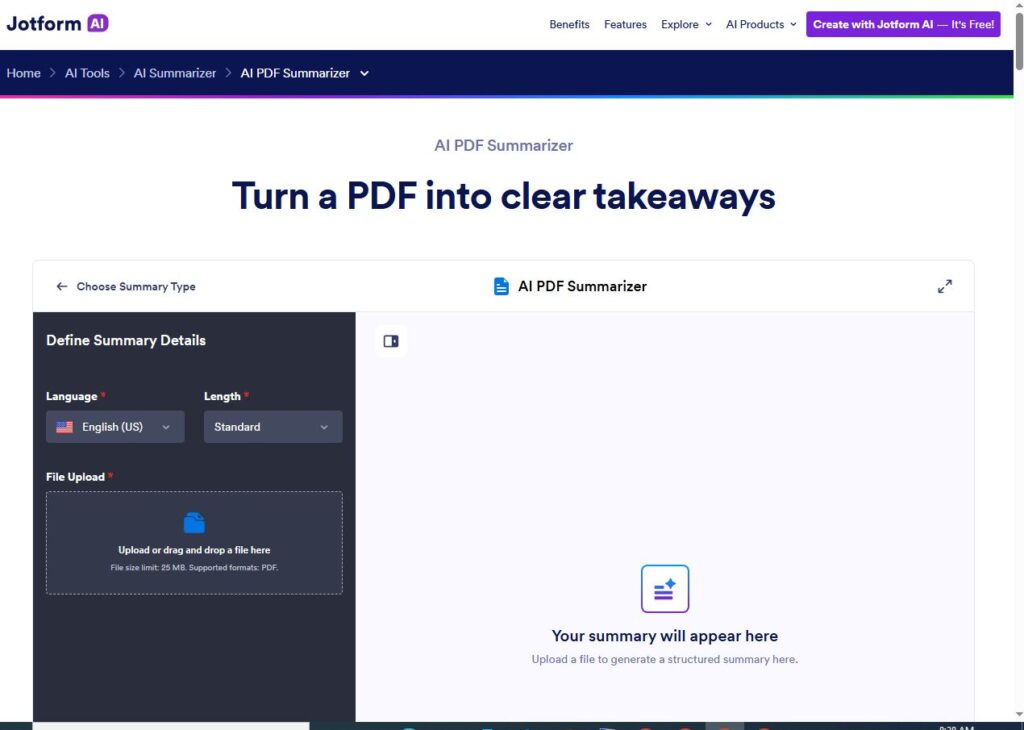
Jotform is widely known for its online form builder, but the company has expanded its AI tools to help users work more efficiently with documents. The Jotform AI PDF Summarizer is designed to quickly extract key information from lengthy PDF files, making it a useful option for businesses, educators, and professionals who handle documents daily.
Unlike traditional PDF summarizers that only provide a brief overview, Jotform integrates AI with its broader productivity ecosystem. This allows users to summarize documents while also taking advantage of other workflow tools available on the platform.
During our evaluation, the tool performed well with business reports, meeting notes, proposals, project documentation, and educational materials. The summaries were concise, easy to read, and captured the most important points without overwhelming the reader.
One advantage of Jotform is its clean interface. Uploading a PDF is straightforward, and the AI processes documents quickly without requiring any technical knowledge.
Features
- AI-powered PDF summarization
- Browser-based tool with no installation required
- Quick document processing
- Simple drag-and-drop upload
- Clean and beginner-friendly interface
- Integrates with Jotform’s productivity tools
- Supports business and educational documents
- Secure cloud-based processing
My Experience
We uploaded several types of PDF files, including research papers, user manuals, ebooks, and business reports, to see how each tool handled different document formats. Some focused on speed, while others produced more accurate summaries or offered interactive AI chat. , Jotform AI PDF Summarizer produced clear summaries for reports, guides, and project documents. It focused on the main ideas rather than copying large portions of the original text, making the summaries easier to understand.
The interface is one of its strongest points. Everything is well organized, and even first-time users can upload a file and receive a summary within minutes.
While it doesn’t provide as many interactive AI conversation features as dedicated PDF chat assistants like ChatPDF, it delivers reliable results for users who simply want a fast and accurate document summary.
Pros
Easy-to-use interface
Fast document processing
Accurate summaries for business documents
No software installation required
Works on any modern web browser
Suitable for teams and professionals
Integrates with other Jotform services
Cons
Free version includes usage limits
Advanced AI capabilities are available on higher plans
Less interactive than dedicated AI PDF chat tools
Best suited for digital PDFs rather than scanned documents
Pricing
Jotform AI PDF Summarizer includes a free plan for basic use. Businesses and power users can upgrade to paid plans for higher limits, additional AI features, and access to more advanced productivity tools.
Who Should Use Jotform AI PDF Summarizer?
This tool is a great choice for:
- Business professionals
- HR teams
- Project managers
- Teachers and educators
- Students working on assignments
- Small business owners
- Anyone looking for a simple AI-powered document summarizer
If you already use Jotform for forms or business automation, its AI PDF Summarizer fits naturally into your workflow and can save time when reviewing lengthy documents.
Verdict
Jotform AI PDF Summarizer earns our recommendation as the best AI PDF summarizer for business productivity. It combines a clean interface, reliable summarization, and seamless integration with Jotform’s ecosystem. While dedicated AI chat tools may offer deeper document conversations, Jotform stands out for users who prioritize speed, simplicity, and efficient document management in their daily workflow.
MindMap AI (Best for Visual Learners)
Official website: https://mindmapai.app/
Best For: Students, researchers, educators, and professionals who prefer visual summaries instead of plain text.
Free Plan: Yes (Limited)
Overall Rating: ⭐⭐⭐⭐☆ (4.6/5)
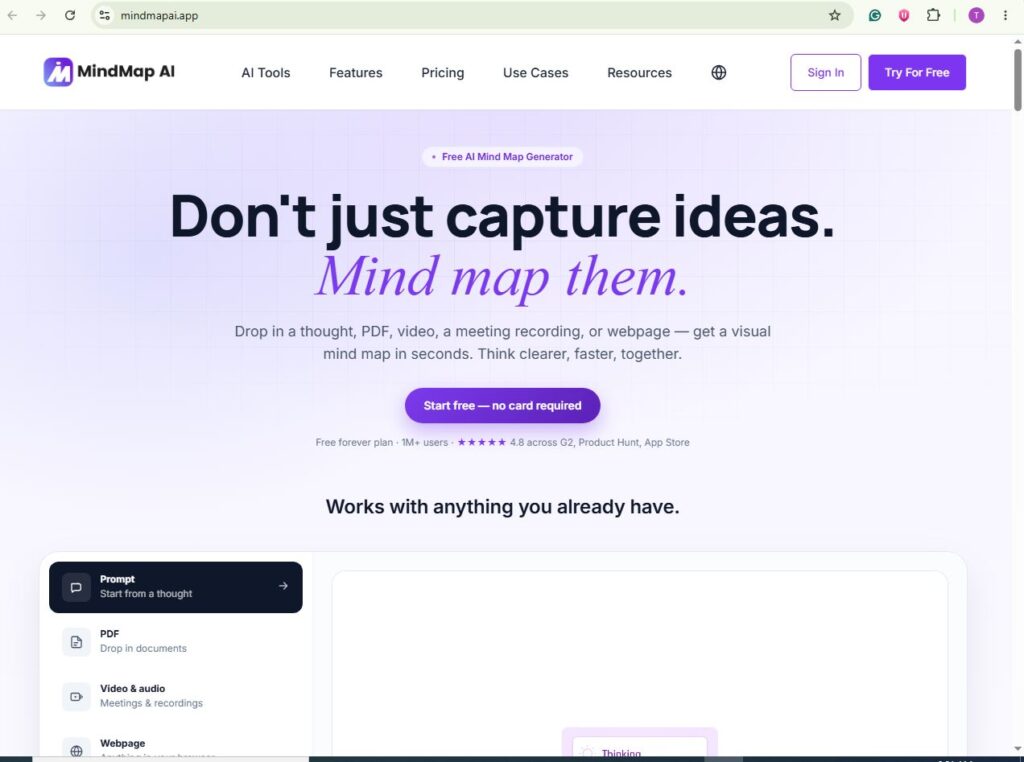
While most AI PDF summarizers generate paragraphs or bullet points, MindMap AI takes a different approach by converting complex information into visual mind maps. This makes it easier to understand relationships between ideas, organize key concepts, and review large documents without reading every page.
The platform is particularly useful for students preparing for exams, researchers analyzing academic papers, and professionals planning projects. Instead of reading a long summary, users can quickly view the main topics and how they connect with each other.
During our evaluation, MindMap AI performed well with educational content, research papers, business reports, and study materials. The generated mind maps helped simplify complex topics into an organized visual structure, making revision faster and more engaging.
However, if your goal is simply to get a traditional text summary, tools like ChatPDF or NoteGPT may be a better fit. MindMap AI is designed for users who learn best through diagrams rather than paragraphs.
Features
- AI-powered PDF summarization
- Automatically generates visual mind maps
- Organizes complex information into structured topics
- Browser-based platform
- Beginner-friendly interface
- Suitable for educational and professional documents
- Easy export and sharing options
- No software installation required
My Experience
One of the biggest strengths of MindMap AI is its ability to present information visually. Instead of displaying a long block of summarized text, the AI identifies the document’s main ideas and arranges them into connected branches.
During testing, this approach worked especially well for research papers and study notes. It became much easier to identify key concepts and understand how different sections related to each other.
The interface is clean and intuitive. Uploading a PDF takes only a few clicks, and the generated mind map is ready within a short time. While the AI may occasionally oversimplify highly technical documents, it provides an excellent starting point for reviewing complex material.
Pros
Unique visual summaries
Excellent for students and visual learners
Easy-to-use interface
Fast document processing
Helps organize complex information
Works directly in a web browser
Makes revision more engaging
Cons
Focuses on mind maps rather than detailed text summaries
Free plan has usage limits
Advanced features require a premium subscription
Less suitable for legal or highly detailed technical documents
Pricing
MindMap AI offers a free plan for basic use, allowing users to explore its AI-powered mind mapping features. Paid plans provide higher usage limits, additional export options, and access to more advanced AI capabilities.
Who Should Use MindMap AI?
MindMap AI is ideal for:
- Students preparing for exams
- Researchers reviewing academic papers
- Teachers creating learning materials
- Project managers organizing ideas
- Content creators planning outlines
- Anyone who prefers visual learning over traditional text summaries
If you remember information better through diagrams and structured layouts, MindMap AI is one of the most useful AI tools available.
Verdict
MindMap AI earns our recommendation as the best AI PDF summarizer for visual learning. Its ability to transform lengthy documents into organized mind maps makes studying and reviewing information significantly easier. Although it isn’t designed to replace traditional AI chat assistants, it provides a unique way to understand complex documents quickly and efficiently.
OKTI AI PDF Summarizer
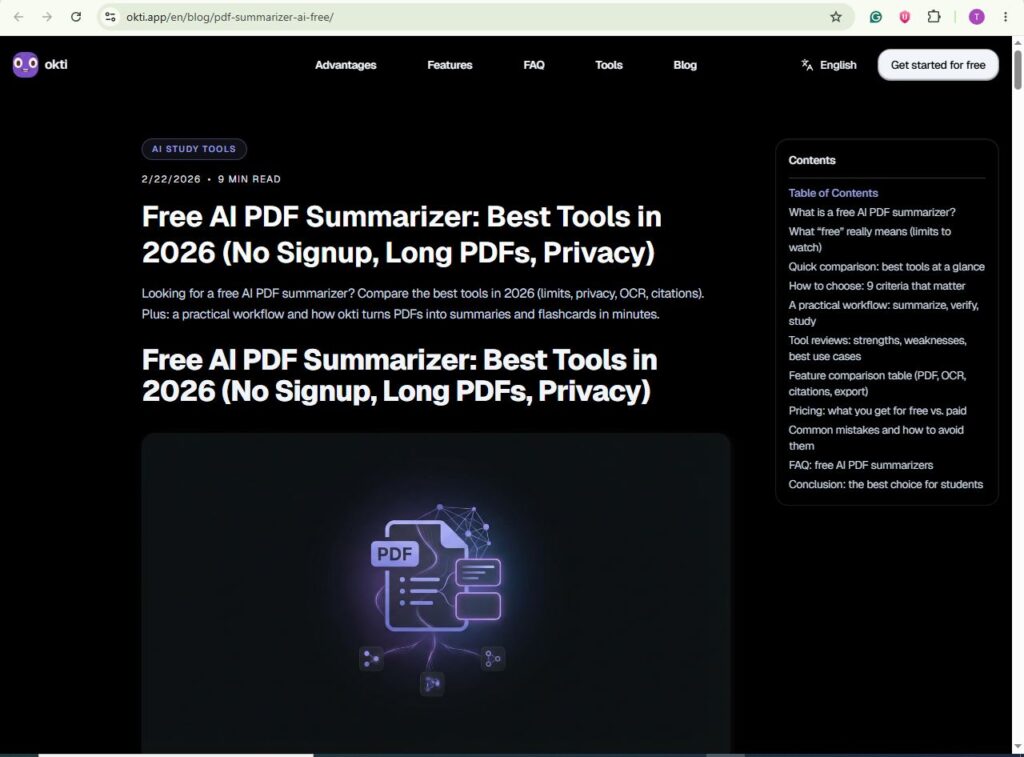
Official website:https://okti.app/en/blog/pdf-summarizer-ai-free/
Best For: a study assistant.Quick document summaries with a clean interface
Free Plan: Yes (Limited)
Overall Rating: ⭐⭐⭐⭐☆ (4.5/5)
OKTI AI PDF Summarizer is a relatively new AI-powered tool designed to help users extract the most important information from PDF documents in just a few seconds. Unlike traditional PDF readers that require users to manually browse every page, OKTI AI focuses on identifying the key ideas and presenting them in a concise, readable format.
The platform is built for users who value simplicity. The interface is clean, modern, and easy to navigate, making it suitable for beginners who have never used AI-powered document tools before. Uploading a PDF takes only a few clicks, and the generated summary is available within moments.
During our testing, OKTI AI worked well with reports, articles, business documents, and educational materials. The summaries were easy to understand and captured the document’s main ideas without adding unnecessary details.
Features
- AI-powered PDF summarization
- Browser-based platform
- Fast document processing
- Beginner-friendly interface
- No software installation required
- Cloud-based processing
Pros
- Easy to use
- Fast summaries
- Modern interface
- Good summary quality
- Works on desktop and mobile browsers
Cons
- Limited free usage
- Smaller feature set than established competitors
- Limited customization
Verdict
If you need a straightforward AI summarizer without a complicated interface, OKTI AI is a solid option for everyday document summarization.
PDF Document Summarizer AI (Android App)
Best For: Android users who summarize PDFs on mobile devices
Free Plan: Yes
Overall Rating: ⭐⭐⭐⭐☆ (4.4/5)
Not everyone works on a desktop computer. If you frequently read PDF documents on your Android phone or tablet, PDF Document Summarizer AI offers a convenient mobile solution.
The app allows users to upload PDF files directly from their device and generate AI-powered summaries without switching to a desktop browser. This makes it particularly useful for students reviewing notes, professionals reading reports while traveling, and anyone who prefers mobile productivity.
While the app isn’t as feature-rich as web-based AI platforms, it performs well for quick summaries and basic document understanding.
Pros
- Mobile-friendly
- Simple interface
- Fast processing
- Easy PDF upload
- Good for everyday use
Cons
- Limited advanced AI features
- Smaller screen affects reading experience
- Better suited for short and medium-length documents
Verdict
If you mainly work from your smartphone, this app is one of the better AI PDF summarizers available for Android users.
PDF.ai
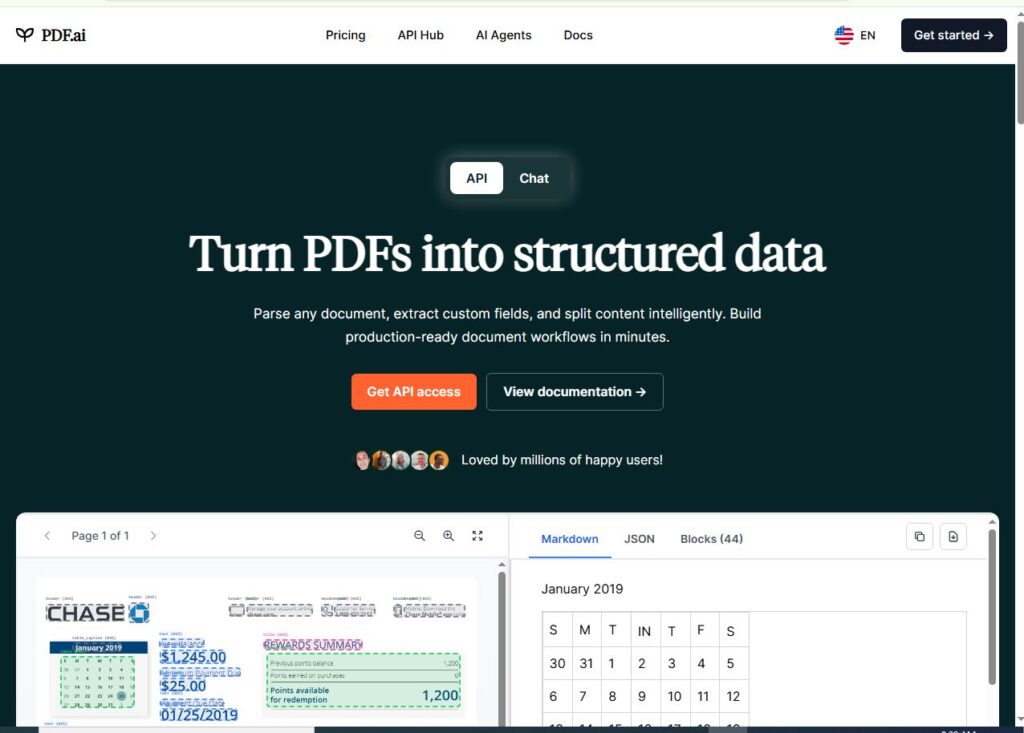
Official website:https://pdf.ai/
Best For: Interactive conversations with PDF documents
Free Plan: Limited
Overall Rating: ⭐⭐⭐⭐☆ (4.7/5)
PDF.ai is designed for users who want more than a simple summary. Instead of only generating condensed text, it allows you to ask questions about your uploaded document and receive AI-generated answers based on its content.
This conversational approach makes it particularly useful for researchers, students, and professionals who need to locate specific information without manually searching through lengthy PDFs.
The interface is modern and easy to navigate. Uploading a file is quick, and the AI responds promptly to questions, making document review much more efficient.
Pros
- AI chat with PDF files
- Accurate answers
- Fast response time
- Beginner-friendly interface
- Cloud-based platform
Cons
- Limited free usage
- Premium plan required for heavy users
- Internet connection required
Verdict
PDF.ai is an excellent choice for users who prefer to ask questions rather than read entire documents.
Which AI PDF Summarizer Should You Choose?
Choosing the right AI PDF summarizer depends on how you plan to use it.
| Use Case | Recommended Tool |
| Best Overall | ChatPDF |
| Best Free Tool | NoteGPT |
| Best for Students | QuillBot |
| Best Premium | Adobe Acrobat AI |
| Best Mobile | PDF Document Summarizer AI |
| Best Visual Learning | MindMap AI |
| Best Business | Jotform AI |
| Best All-in-One PDF Toolkit | iLovePDF AI |
How to Choose the Right AI PDF Summarizer
Before selecting a tool, consider these factors:
- Does it support your PDF size?
- Is a free plan available?
- Can it handle scanned PDFs?
- Does it include AI chat?
- Are your uploaded documents processed securely?
- Is it suitable for your workflow (student, researcher, business, or casual use)?
Choosing the right tool based on your needs will save time and improve productivity.
How we selected these tools:
We compared each AI PDF summarizer based on summary quality, usability, AI features, free plan limitations, pricing, and real-world use cases. We also reviewed official documentation and tested common PDF types to create balanced recommendations
Things to Consider Before Choosing an AI PDF Summarizer
PDF Size Limits
Some free tools only allow small PDF uploads, while premium plans support much larger files. If you regularly work with research papers or ebooks, check the maximum file size before choosing a tool.
Adobe explains how AI-powered document tools improve accuracy, privacy, and productivity when working with PDFs.
OCR Support
If your PDFs are scanned images instead of selectable text, choose a summarizer with Optical Character Recognition (OCR). Without OCR, the AI may not be able to read the document accurately.
AI Chat Features
Some tools only generate a summary, while others let you ask follow-up questions about the document. If you need deeper understanding, an AI chat feature can be a major advantage.
Privacy Policy
If your PDFs contain personal, financial, or business information, review the tool’s privacy policy before uploading files. Look for services that clearly explain how documents are processed and whether they are stored.
Export Options
Some AI PDF summarizers allow you to copy, download, or share summaries in different formats. This can be useful if you want to save notes or collaborate with others.
Summary Quality
A good summarizer should explain the main ideas in clear language rather than simply shortening the original text. Testing a free plan with one of your own documents is a good way to judge quality.
Free Plan Restrictions
Most free plans have limitations such as daily upload caps, page limits, or fewer AI features. If you summarize PDFs regularly, compare these restrictions before deciding.
Supported Languages
If you work with documents in multiple languages, check whether the tool supports summarization beyond English. Some platforms offer multilingual support, while others focus mainly on English content.
Frequently Asked Questions
What is an AI PDF summarizer?
An AI PDF summarizer uses AI to analyze PDF documents and generate concise summaries that highlight the most important information.
Are AI PDF summarizers free?
Many tools offer free plans with usage limits. Premium subscriptions usually unlock larger file uploads, faster processing, and advanced AI features.
Which AI PDF summarizer is best for students?
Based on our comparison, NoteGPT is one of the strongest options for students because it combines easy-to-read summaries with AI-powered study features.
Can AI summarize scanned PDF files?
Some tools support scanned PDFs using OCR (Optical Character Recognition), while others work only with text-based documents.
Is it safe to upload confidential PDFs?
Always review the privacy policy of any AI tool before uploading sensitive or confidential documents. For business or legal files, choose services that clearly explain how user data is handled.
Conclusion
AI PDF summarizers have become valuable productivity tools for students, professionals, researchers, and businesses. Instead of spending hours reading long documents, these tools can identify the key information within minutes, helping users save time and focus on what matters most.
After comparing multiple options, ChatPDF stands out as the best overall choice because it combines accurate summaries and interactive AI chat. If you’re looking for a generous free option, NoteGPT is an excellent alternative. Professionals who need advanced document analysis may prefer Adobe Acrobat AI Assistant, while users who work primarily on mobile devices can benefit from PDF Document Summarizer AI.
Ultimately, the best AI PDF summarizer depends on your workflow, budget, and document type. We recommend starting with a free plan, testing a few tools, and choosing the one that best matches your needs.